

INVOICES & ESTIMATES
Quote, approve, invoice, and get paid from the same job record.
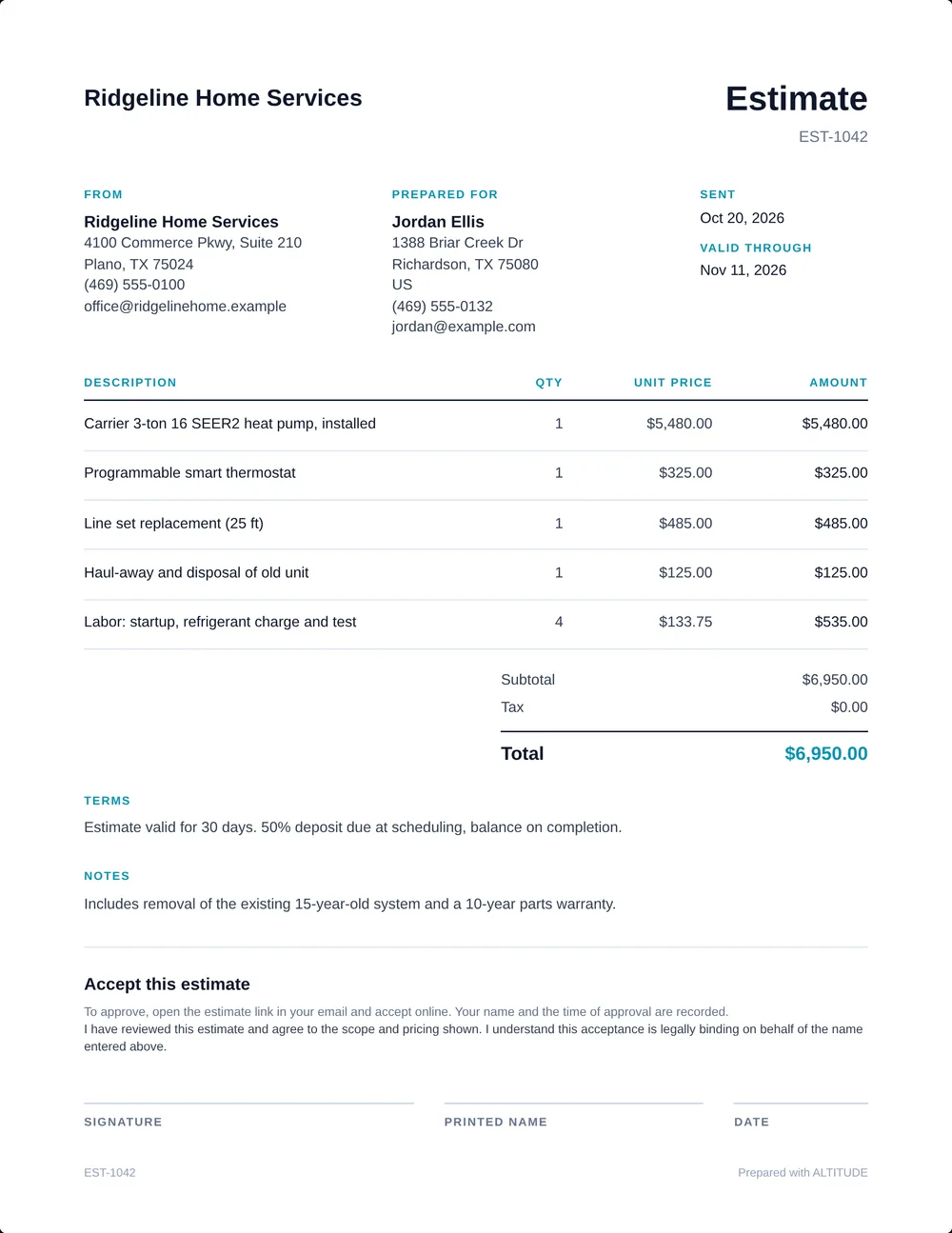
Create estimates from the customer record, send them for approval, convert approved work to invoices, and keep payment status tied to the job history.
Invoices & estimates in a real job.
At 12:05 PM the estimate for a gas valve and thermocouple is approved and turned into the invoice. At 12:40 PM Greg pays the $650 by card from the invoice link, and the paid status stays on the same job record.
Follow the whole job, first ring to paidRidgeline Home Services
No. 004218
Greg Albright · Water heater, no hot water
- 7:42 AMMissed callTexted back automatically
- 7:44 AMCustomer replied“No hot water. Can someone come today?”
- 8:10 AMVisit scheduledToday 11:00–12:30 · Luis O.
- 12:05 PMEstimate approvedInvoices & estimatesGas valve + thermocouple
- 12:40 PMInvoice paidInvoices & estimatesCard, from the invoice link
$650.00
Quote, approve, invoice, and collect payment in context.
Step 01
Create estimate
From job record
Step 02
Customer approves
In the branded portal
Step 03
Convert to invoice
Payment status attached
Operational billing without pretending to be accounting.
ALTITUDE keeps the quote, approval, invoice, and payment handoff close to the job. Your accounting system can stay the accounting system.
- 01
Create from the job record
Build an estimate or invoice from the customer and job context your office already has, instead of re-entering the same details.
- 02
Approval before invoice
Send the estimate for customer review, capture the approval, then convert approved work into an invoice.
- 03
Quote-to-paid continuity
Lead → scheduled work → estimate → approval → invoice → payment status. One connected flow for home-service teams.
- 04
Payment context stays attached
See what is pending, approved, invoiced, or paid without separating the financial step from the job history.
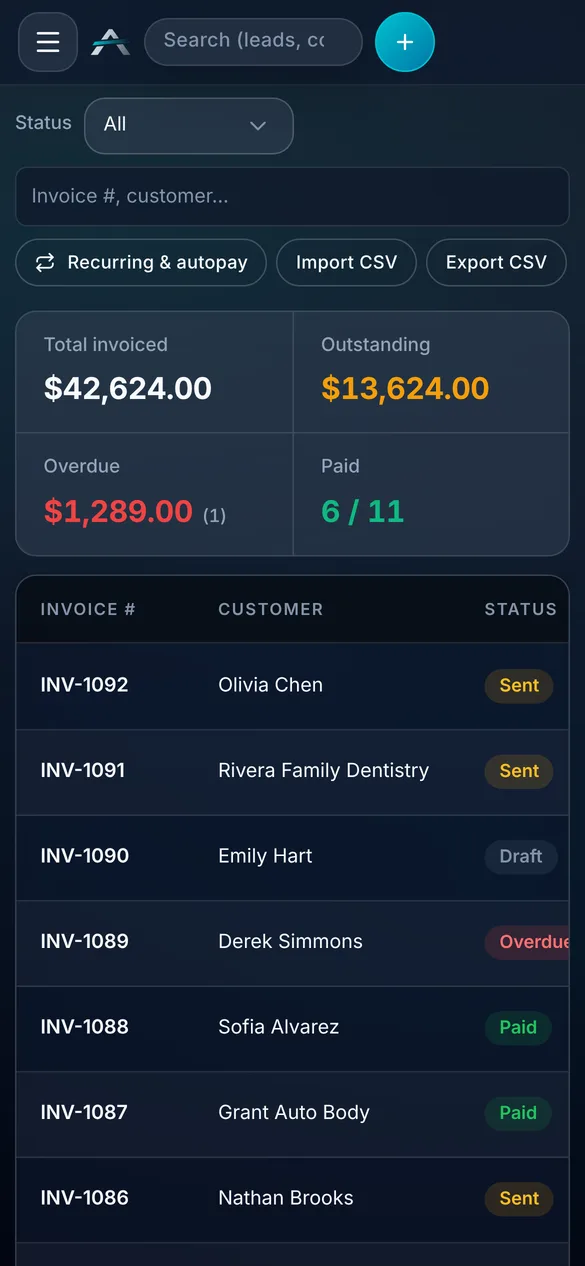
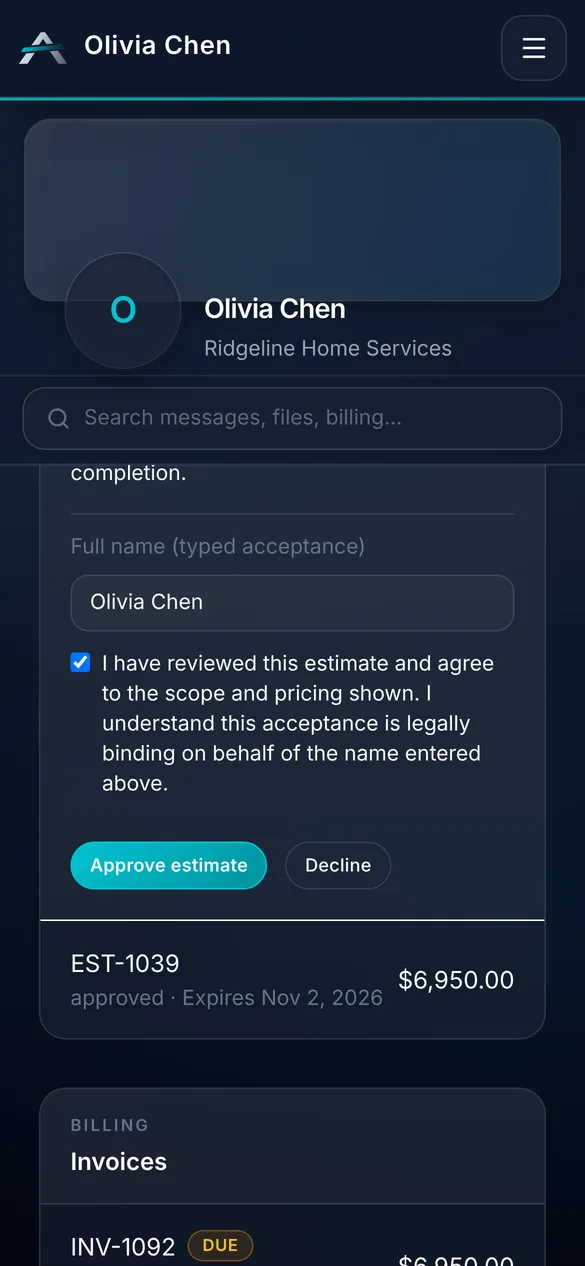
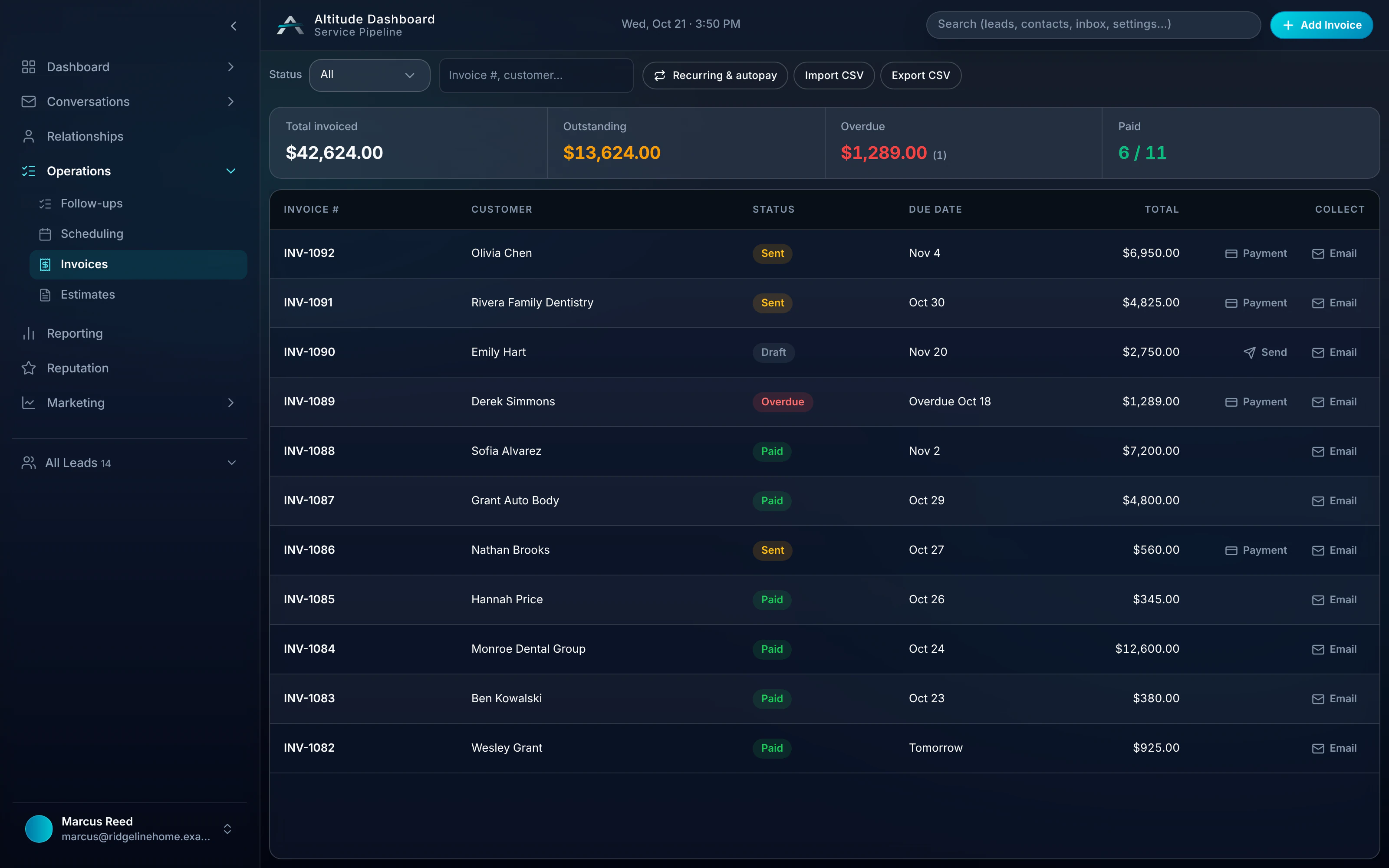
Real ALTITUDE screens. Demo data.
Invoices & estimates works with
- PipelineKeep estimate and invoice status attached to the active job stage.
- ReportingTrack pending, approved, invoiced, and paid work alongside source context.
- SchedulingAfter a service call or estimate visit, create the quote or invoice from the same record.
- Client portalsCustomers review estimates, see appointments, and access invoice or payment status.
Guides that cover this workflow
Longer reads on the CRM and follow-up workflows this feature is part of.
Invoices & estimates, in plain English.
Still wondering? Ask the people who built it.
Can we create an estimate from the customer or job record?
Yes. Start from the customer record or active job context, create the estimate, and keep the document tied to the same conversation, appointment, and pipeline history.
Can customers approve estimates before we invoice?
Yes. Send the estimate for review, let the customer approve it through the portal, then convert the approved work into an invoice when it is ready.
Is ALTITUDE full accounting software?
No. ALTITUDE handles the operational estimate, invoice, approval, payment-link, and status workflow around the job. It is not a replacement for your accounting system or tax ledger.
How do customers pay invoices?
Invoices include a payment link. Payments run through Stripe Connect, and Square is also supported. Autopay and recurring invoices require Stripe.
Your next customer is about to call.
Be the shop that answers. Free for 30 days, and we do the setup.