

Reviews
Ask every customer for a review, without remembering to.
ALTITUDE sends the review request when the job is done or the invoice is paid. Your Google reviews come in next to the customer and the job, so you can see who said what and which ones still need an answer.
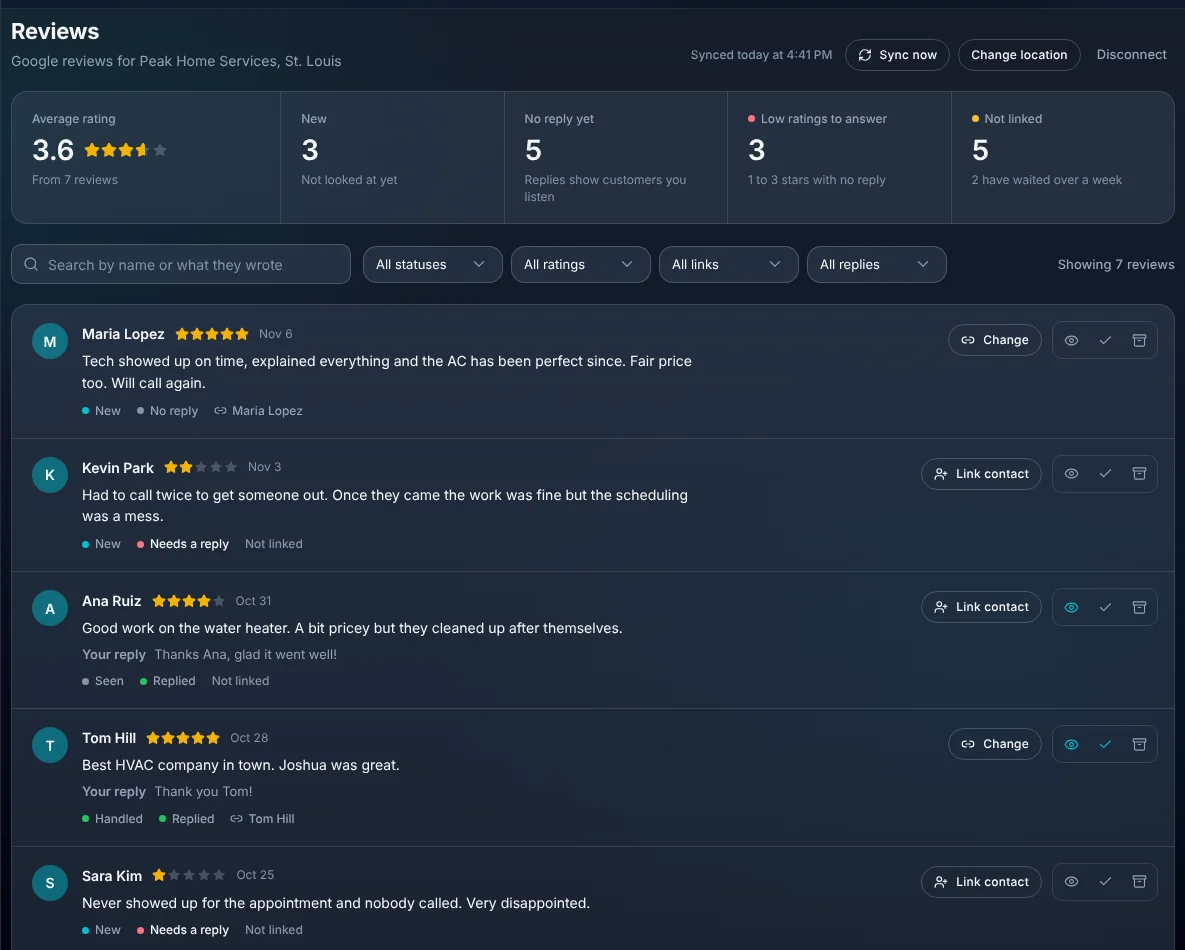
- Ask when the visit is done or the invoice is paid
- 2 triggers
- Default wait before the same customer is asked again
- 90 days
- Reviews are included
- Every plan
Watch it work
Job done at 2:00. Asked at 2:00. Reviewed that evening.
The visit is marked complete, the request goes out with your review link, and the Google review is linked to the customer who wrote it.
Thanks for choosing Summit Plumbing, Greg. If we did right by you, would you leave us a quick review?
On time, tidy, and the price matched the quote. Would call again.
01 · Asking
The request goes out on its own.
Add your Google review link once and choose when to ask. From then on nobody in the office has to remember.
- Ask when an appointment is marked complete, when an invoice is paid in full, or both.
- Send by email, by text, or both.
- Texts only go to customers who agreed to get texts from you.
- A customer isn't asked again for 90 days, and you can change that number.
- Requests stay off until you add your review link.
02 · What the customer sees
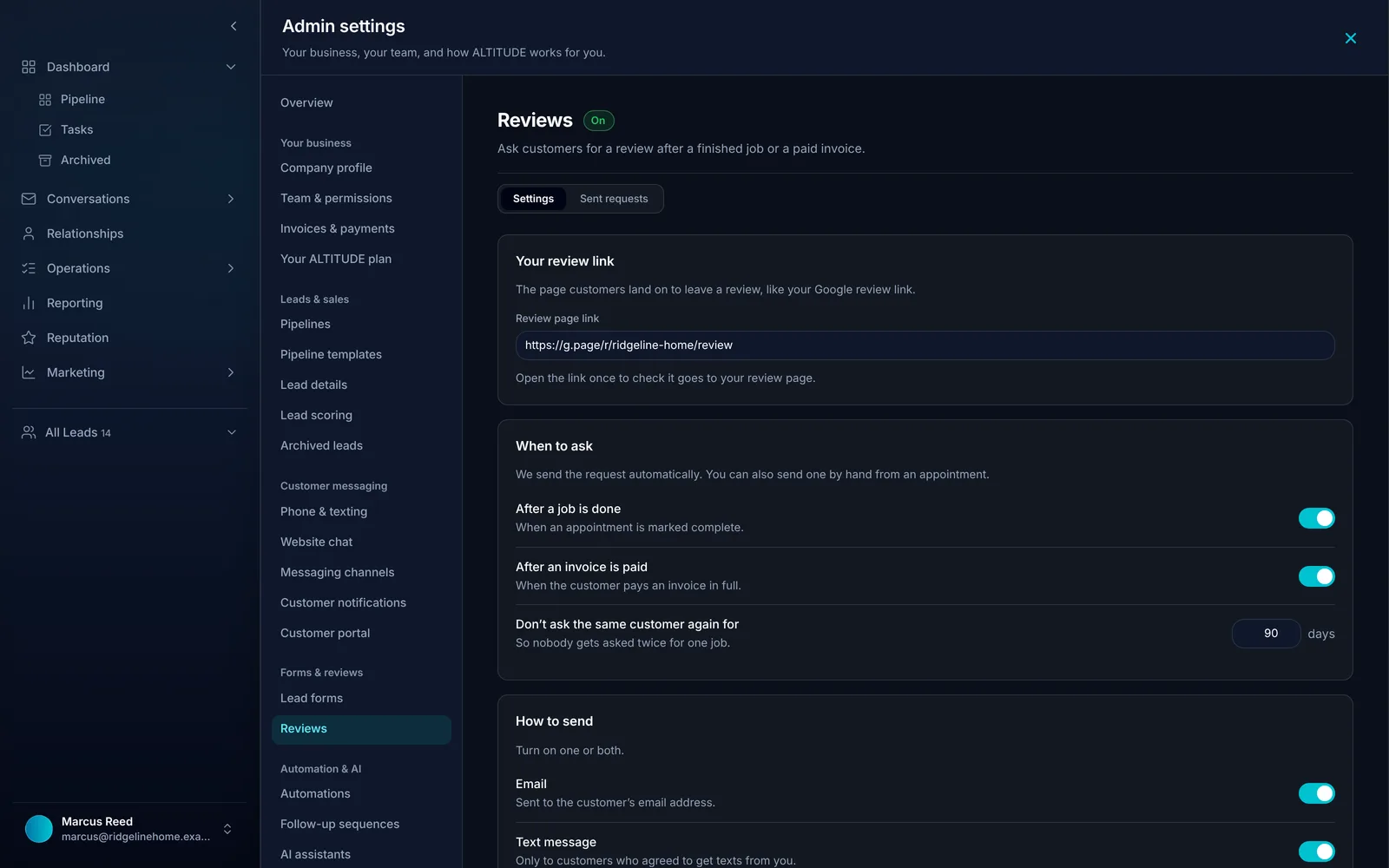
A short thank you with one link.
The message uses your business name and the customer's first name, and the link opens your Google review page.
- Preview the email and the text before you turn them on.
- Send one by hand from a lead any time.
- Settings shows recent requests, and the reason when one was skipped.
03 · Your Google reviews
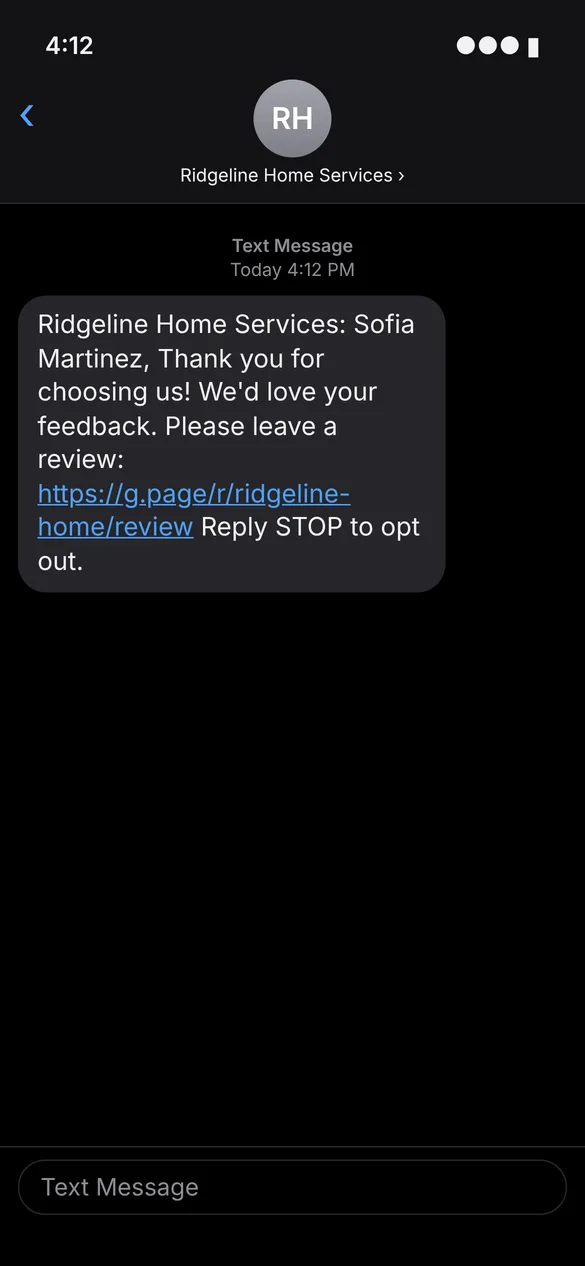
Every review, next to the customer who wrote it.
Connect your Google Business Profile and your reviews show up in ALTITUDE, with your average rating and what's new.
- Reviews sync from Google by themselves, with a Sync now button.
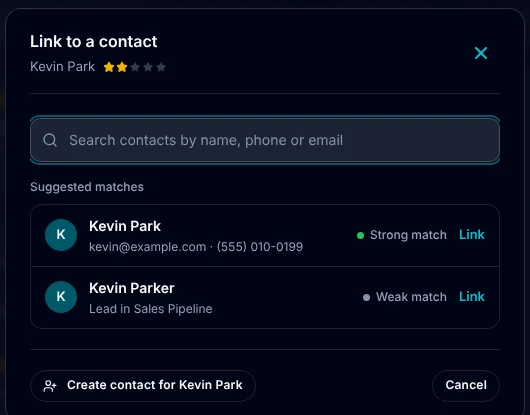
- Link a review to its contact. ALTITUDE suggests likely matches by name.
- No match? Create a contact from the review in one click.
- See your replies beside each review, and which ones have none yet.
- Mark reviews seen or handled so the team knows what's been looked at.
04 · The ones that need you
Find the low ratings before they sit for a week.
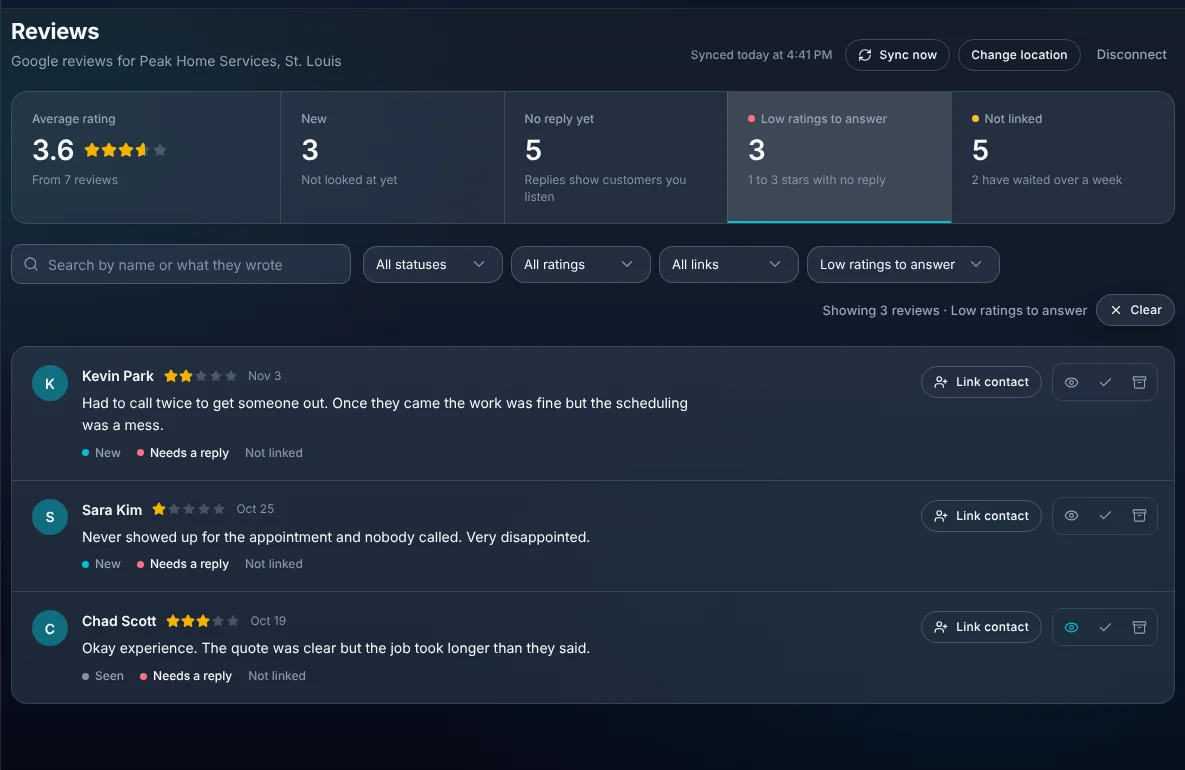
One filter shows every 1 to 3 star review that hasn't been answered, so someone can call the customer and reply the same day.
- Counts for new reviews, reviews with no reply and low ratings to answer.
- Filter by rating, status, reply and whether it's linked to a customer.
- Search by name or by what they wrote.
What you stop paying for.
Review requests and review tracking usually mean one more tool.
- A review request toolRequests go out from the job and the invoice you already have.
- Checking Google by handNew reviews and unanswered ones are counted for you.
- Asking at the door and hopingEvery finished job gets asked, the same way, every time.
Everything Reviews does.
On every plan. Text requests need the phone package.
Requests
- After a completed appointment
- After a paid invoice
- By email, text or both
- Your own review link
- Wait time between requests
- Send one by hand from a lead
- Skipped requests explained
Google reviews
- Google Business Profile connection
- Automatic sync and Sync now
- Average rating and counts
- Your replies shown beside each review
- Low ratings to answer filter
Customers
- Link a review to a contact
- Suggested matches
- Create a contact from a review
- Seen and handled marks
- Search and filters
Reviews, in plain English.
Still wondering? Ask the people who built it.
When does the review request go out?
When an appointment is marked complete, when an invoice is paid in full, or both. You choose in settings.
Will a repeat customer get asked every visit?
No. After a request, that customer isn't asked again for 90 days by default. You can change the number of days.
Do you only ask happy customers?
No. Everyone whose job is finished gets the same request. Google's rules don't allow asking only the customers you expect to be happy.
Which review sites does it work with?
Requests can link to any review page you paste in. Syncing reviews into ALTITUDE works with Google Business Profile.
Can it text the request?
Yes, with the phone package, and only to customers who agreed to get texts from you. Email works without it.
What happens with a bad review?
It shows under Low ratings to answer until it has a reply. Link it to the customer to see the job it was about before you call them.
Your next customer is about to call.
Be the shop that answers. Free for 30 days, and we do the setup.