

Phone apps · Coming soon
ALTITUDE in your pocket. iPhone and Android apps are on the way.
The iPhone app is in testing now, and the Android app is being built to match it. Neither is in the App Store or Google Play yet. Until they are, all of ALTITUDE works in your phone's browser. The screens below are from the iPhone app in testing, with made-up customers.
- Not in the App Store or Google Play yet
- Coming soon
- For the owner, the office and the crew
- 1 app
- All of ALTITUDE works in your phone's browser
- Today
Watch it work
A new text, answered from the driveway.
An alert lands on your phone. Tap it, read the thread and reply from your business number, without opening a laptop.
Hi, can you come out Thursday?
Yes. Thursday at 1:00 works.
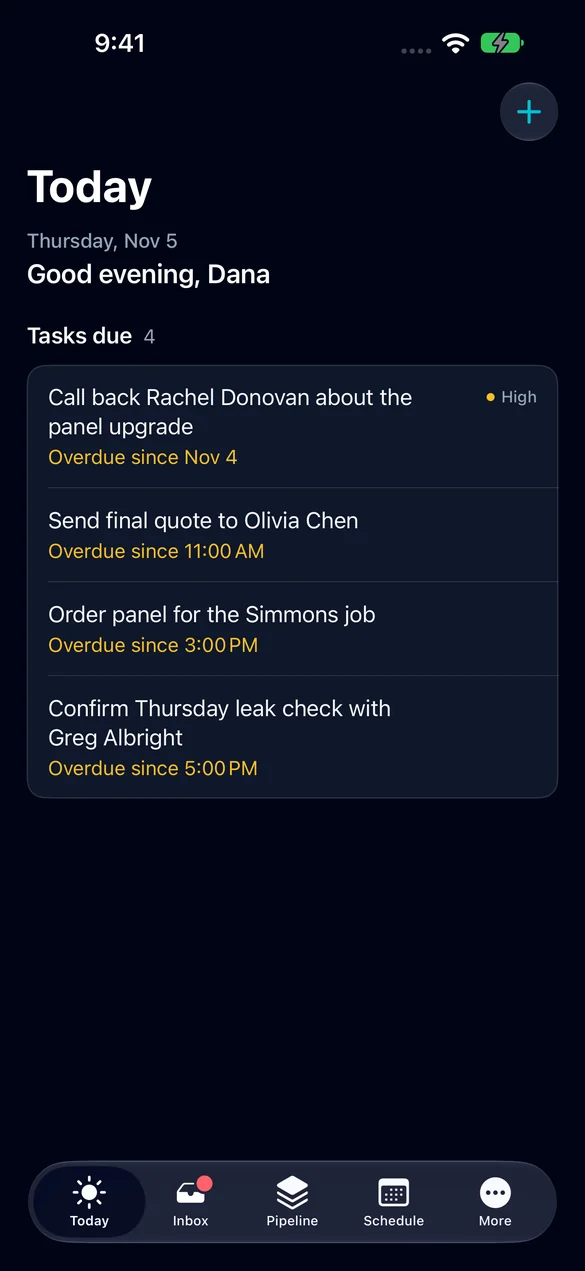
01 · Today
Open it and see what's due.
The first screen is your day: the tasks that are due and the ones that slipped. The plus button adds a lead or a task in a few taps.
- Tasks due today and overdue, in one list.
- Tap a task to open the lead it belongs to.
- Add a lead or a task from the plus button.
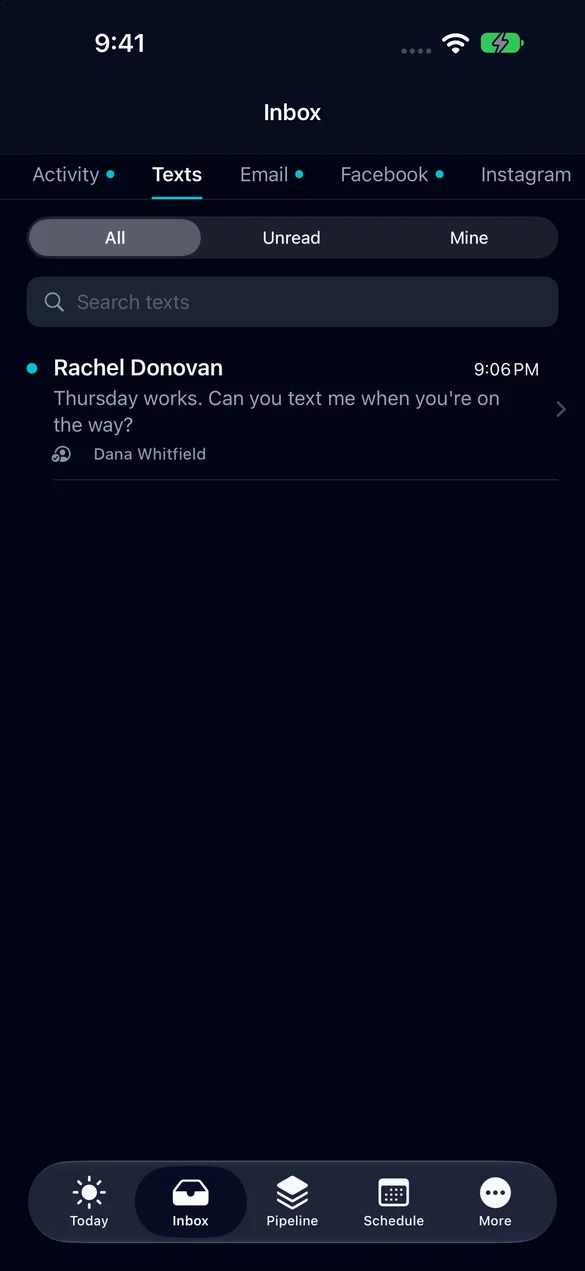
02 · Inbox
Every conversation comes with you.
Texts, email, Facebook and Instagram messages each get a tab, with the customer's name on every thread. Phone alerts tell you when something new comes in.
- Tabs for activity, texts, email, Facebook and Instagram.
- Filter to unread or to the threads that are yours.
- Reply from the thread.
- An alert on your phone for new messages.
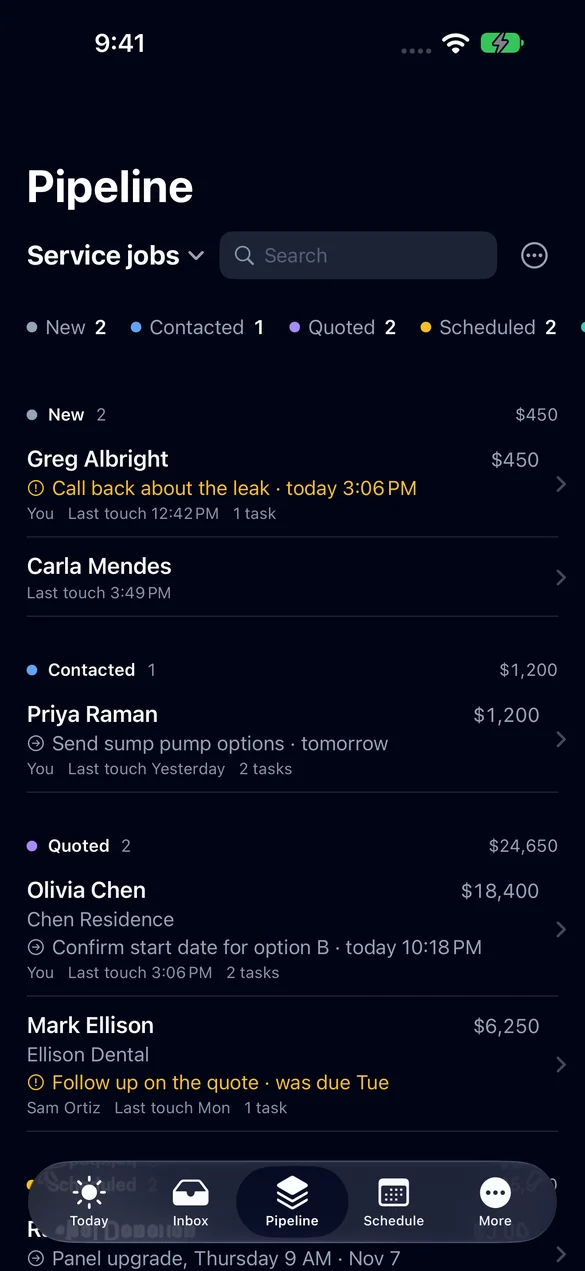
03 · Pipeline
Your leads, by stage, with the next step on each.
See what's new, contacted, quoted and scheduled, what each lead is worth and what happens next. Search by name when a customer calls back.
- Leads grouped by stage, with a total for each.
- The next step and when it's due, on every lead.
- Who owns it and when it was last touched.
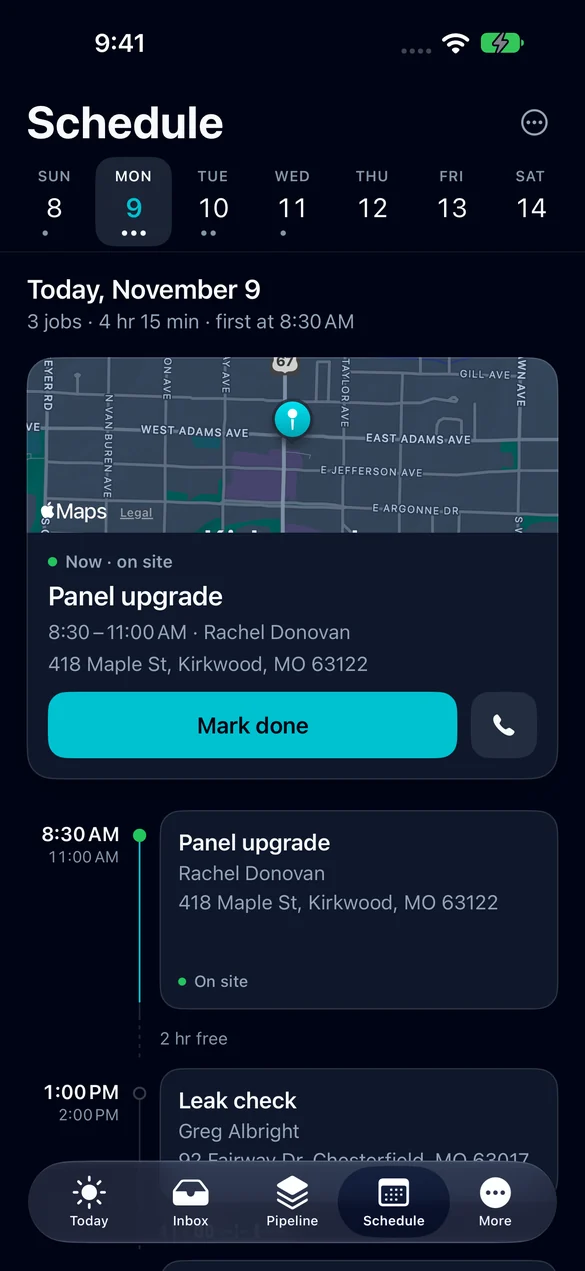
04 · Schedule
Today's jobs, with the map and the customer's number.
Pick a day and see the jobs in order, where each one is and how much free time sits between them. Call the customer or mark the job done from the same screen.
- A week strip and the day's jobs in order.
- The address on a map.
- Call the customer in one tap.
- Mark the job done when you finish.
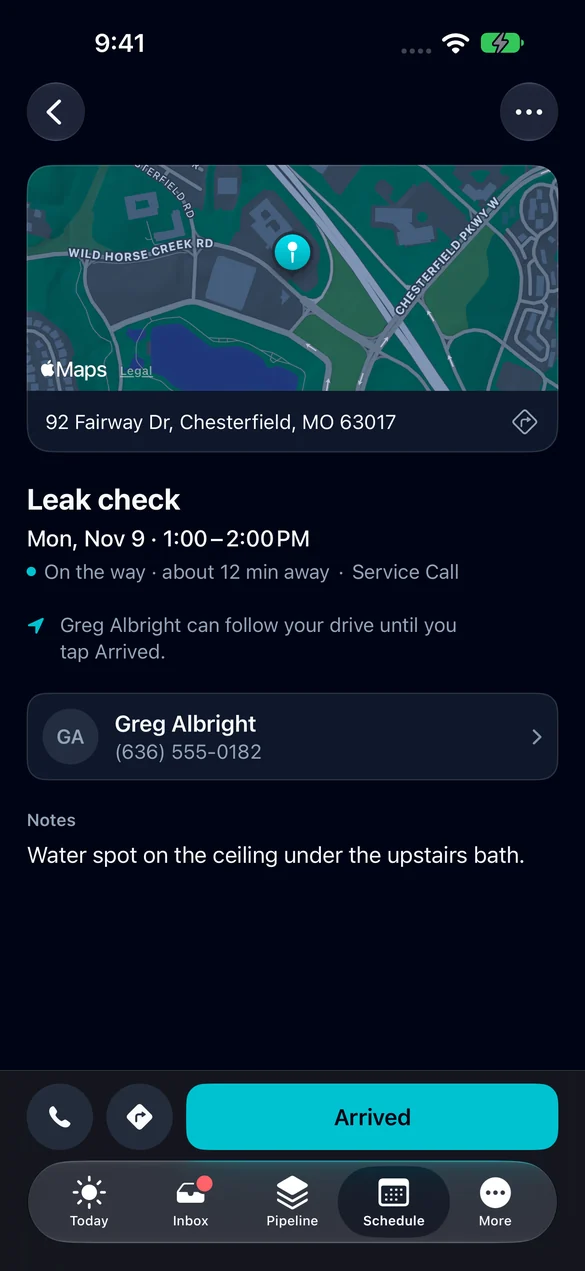
05 · On my way
The customer knows you're coming.
Tap On my way before you pull out. The customer can follow your drive until you tap Arrived, and the office sees the job change as it happens.
- On my way and Arrived, one tap each.
- The customer can follow the drive until you arrive.
- Directions and the job notes on the same screen.
06 · Estimates and invoices
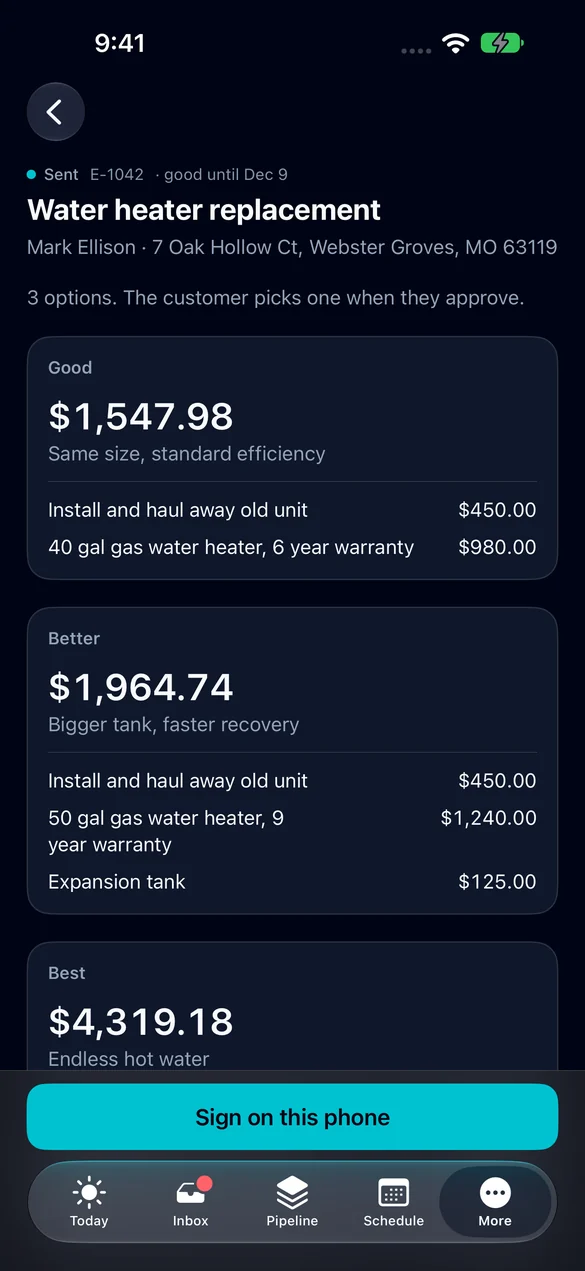
Sign the estimate and take the payment before you leave.
Open an estimate with its good, better and best options and have the customer sign on your phone. Open an invoice, see what's due and get paid.
- Estimates with options the customer picks from.
- Sign on this phone.
- Invoices with line items, tax, deposits and the amount due.
- Get paid from the invoice.
07 · Tasks
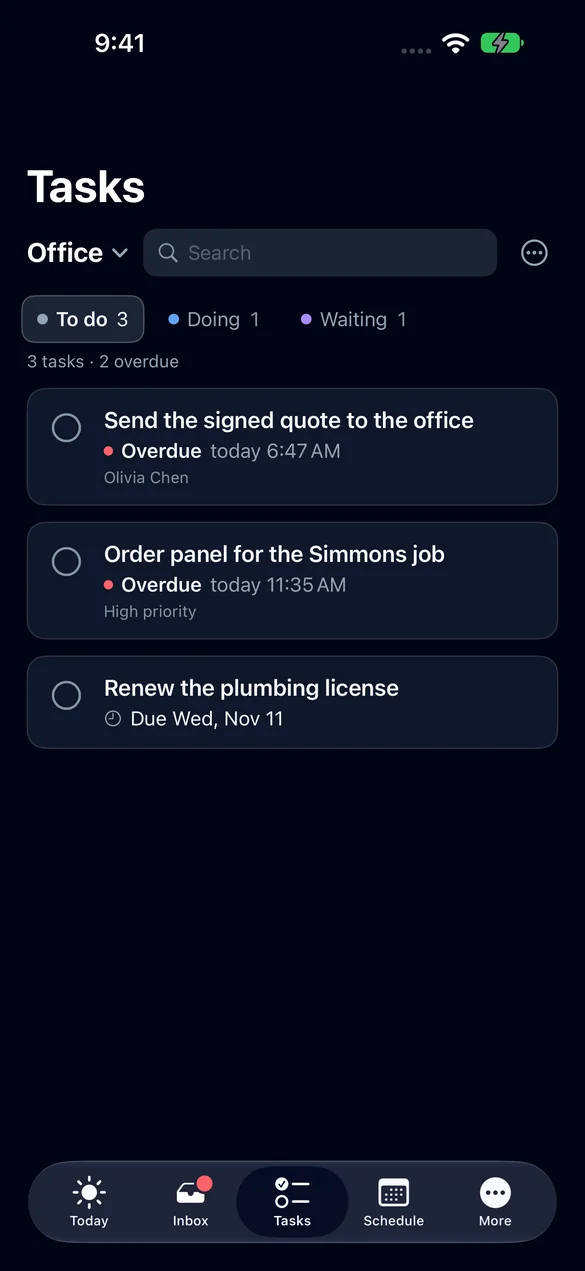
The list that follows you out the door.
Your task boards, with what's to do, what's in progress and what's waiting. Overdue tasks are marked so they don't hide.
- Boards with to do, doing and waiting.
- Due dates and overdue marks.
- Tick a task off when it's done.
08 · Private
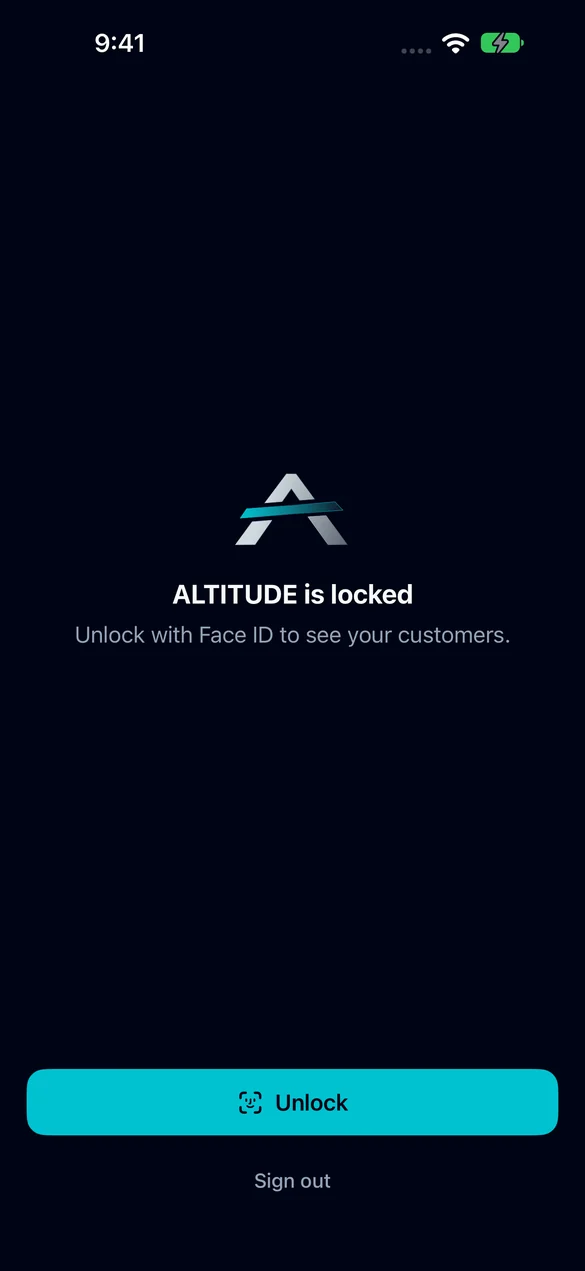
Your customers stay behind Face ID.
Turn on the app lock and ALTITUDE asks for Face ID before it shows anything. Hand your phone to someone and your customer list stays yours.
- Lock the app with Face ID.
- One app for the whole team. What each person sees depends on their sign-in.
09 · Until then
You don't have to wait for the app.
ALTITUDE already runs in the browser on any phone, with nothing to install. The crew app gives techs today's visits, checklists, photos and a time clock right now.
- Works in Safari and Chrome on any phone.
- The crew app is on every plan today.
- When the phone apps come out, you sign in with the same account.
What's in the iPhone app we're testing.
This is what the iPhone app does in testing today. The Android app is being built to match it. Neither is in a store yet.
Every day
- Today
- Inbox
- Pipeline
- Schedule
- Tasks
In the field
- On my way and Arrived
- Map and directions
- Call the customer
- Mark a job done
Money
- Estimates with options
- Sign on this phone
- Invoices
- Get paid
Yours
- Phone alerts
- Face ID app lock
- One app for the whole team
iPhone and Android apps, in plain English.
Still wondering? Ask the people who built it.
Can I download the app today?
Not yet. The iPhone app is in testing and the Android app is still being built. Neither is in the App Store or Google Play. This page will change the day one of them is.
When will the apps be out?
We don't have a date to promise. We would rather tell you when it's ready than miss a date.
Can I use ALTITUDE on my phone right now?
Yes. ALTITUDE runs in the browser on any phone with nothing to install, and techs get the crew app with today's visits, checklists, photos and a time clock.
Will the owner and the crew need different apps?
No. It's one app. What each person sees depends on their sign-in.
Will Android get the same features as iPhone?
That's the plan. The Android app is being built to match the iPhone app. It is earlier along today.
Your next customer is about to call.
Be the shop that answers. Free for 30 days, and we do the setup.