

Expenses and profit
Know what you kept, not just what you billed.
Snap a receipt or forward a bill and ALTITUDE fills in the expense. Profit puts money in beside money out, month by month, and the tax view tells you what to set aside before the quarter ends.
- To add an expense: by hand, a receipt photo, a forwarded email
- 3 ways
- Estimated tax payments a year, with suggested amounts
- 4
- Year-end package for your accountant
- 1 file
Watch it work
Drop in a receipt. Watch profit update.
ALTITUDE reads who you paid, how much and when. You check it and save, and the month's spending and profit include it.
November so far · You kept 64%
01 · Expenses
The receipt is the data entry.
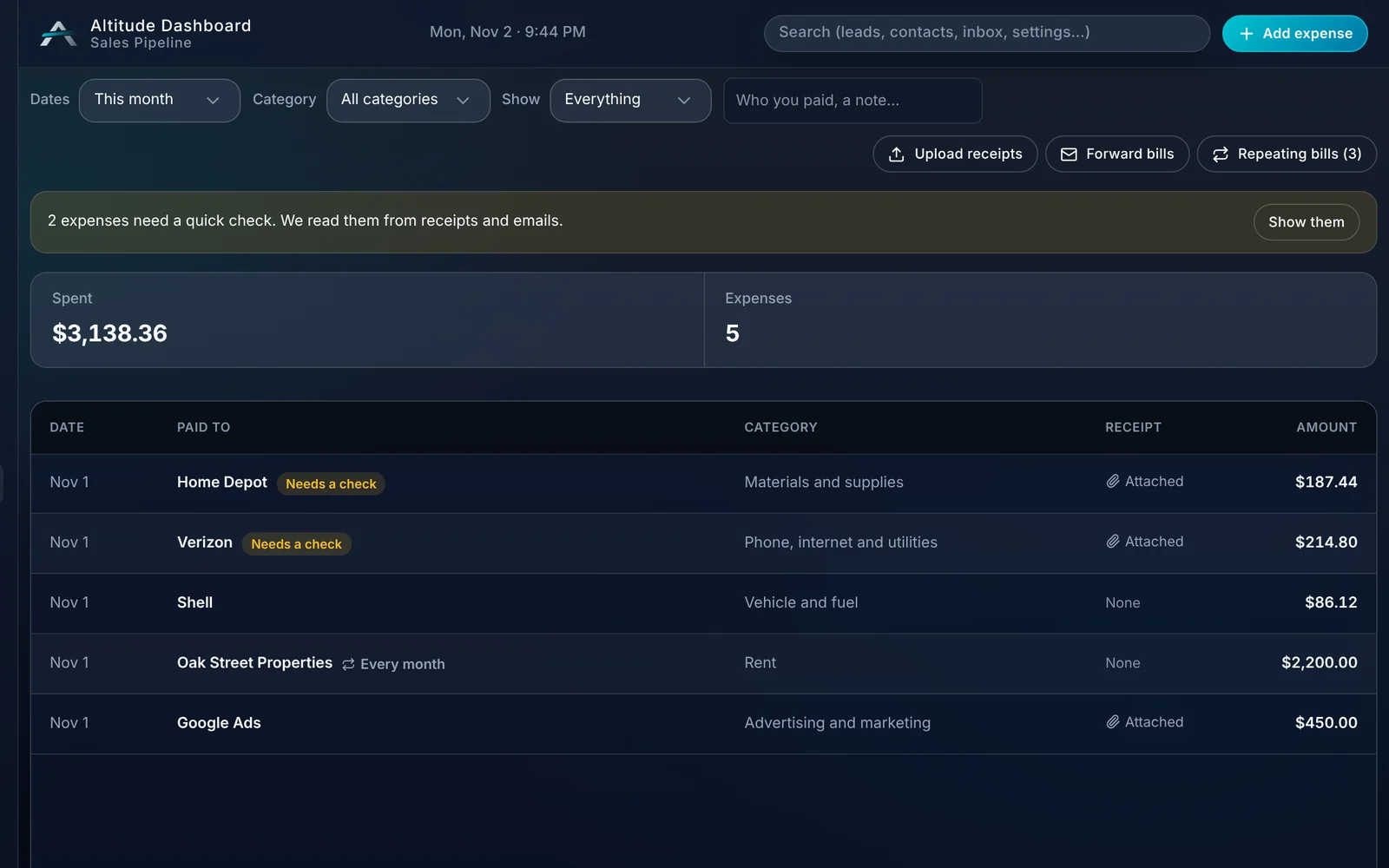
Drop in a photo or a PDF of a receipt and ALTITUDE reads who you paid, how much and when. You check it and save. The receipt stays attached.
- Add a bill by hand, drop in receipt photos or PDFs, or forward bill emails.
- Your own forwarding address for bills.
- Read from the receipt, then marked for a quick check.
- Categories like materials, fuel, rent and advertising.
- Search and filter by date, category and who you paid.
02 · Receipts
Check it once, keep it for tax time.
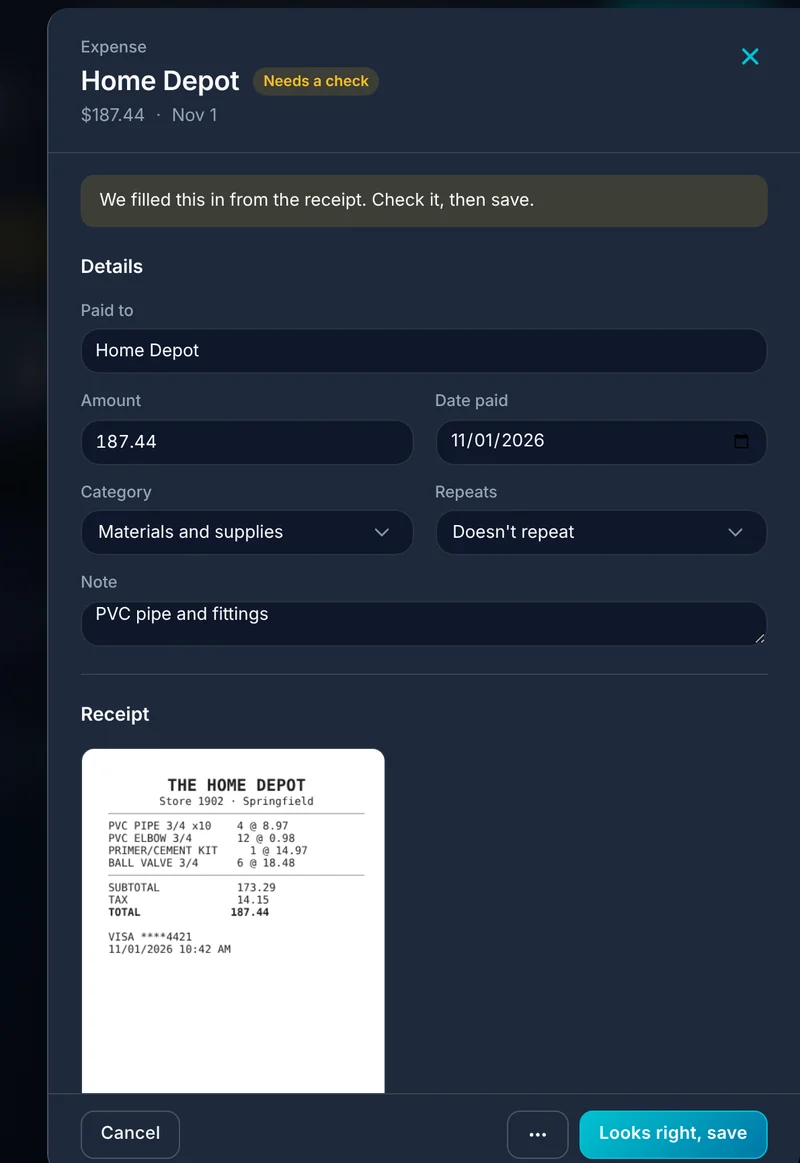
Anything read from a receipt or an email waits for you to confirm it. The image is kept with the expense, so it's there when your accountant asks.
- Paid to, amount, date and category filled in for you.
- The receipt image saved on the expense.
- A count of expenses that still need a check.
- A count of expenses without a receipt at year end.
03 · Repeating bills
Rent and subscriptions add themselves.
Mark a bill as repeating and it's recorded on schedule, so the monthly costs you never think about still show up in your profit.
- Repeat every month or on another schedule.
- See all repeating bills in one list.
- Change or stop one any time.
04 · Profit
Money in, money out, and what's left.
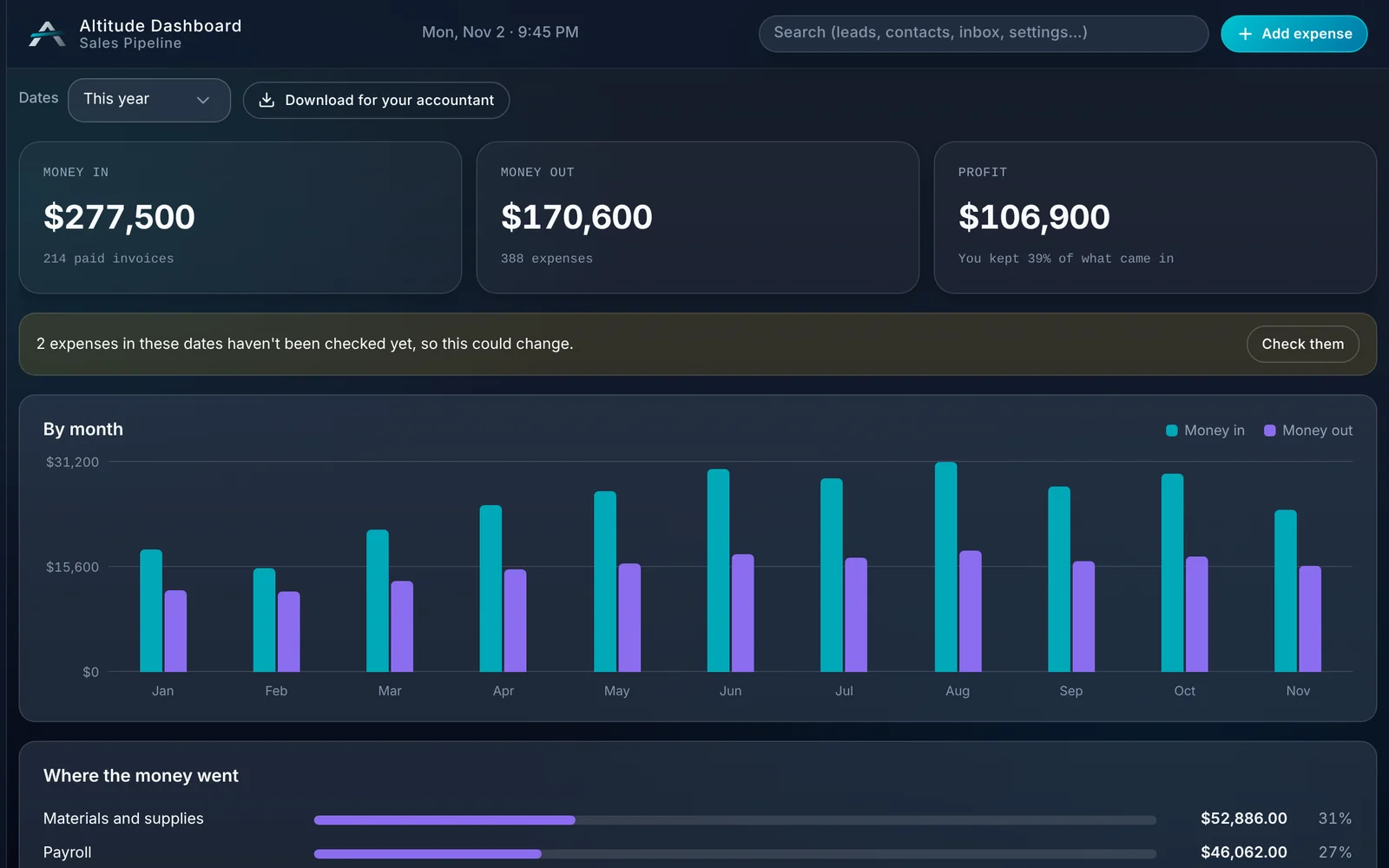
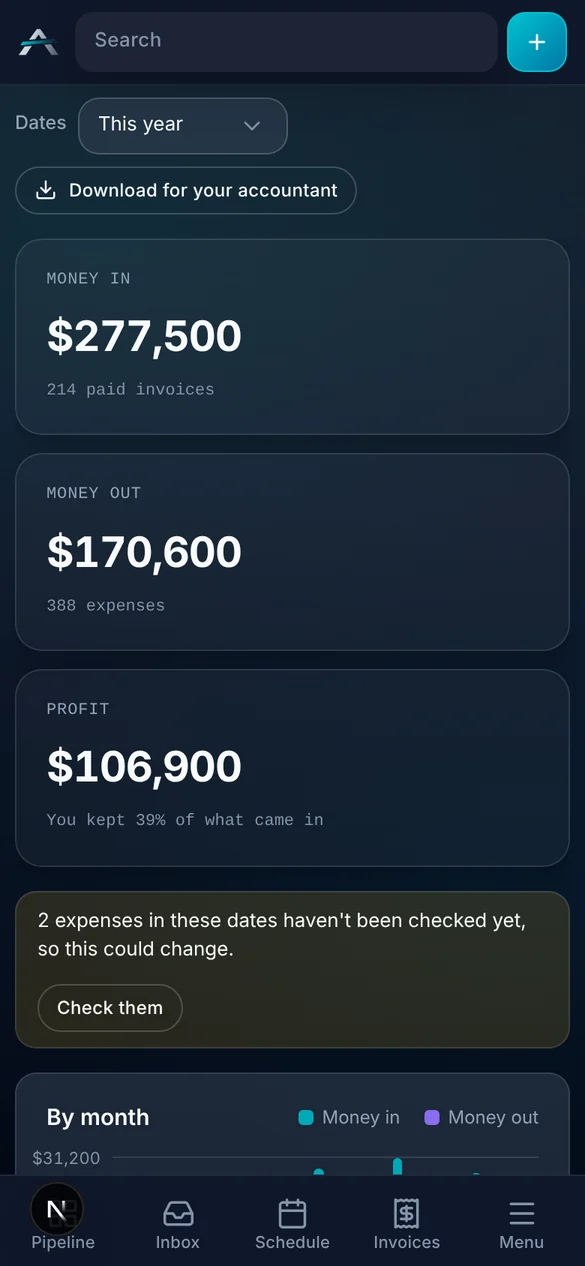
Profit takes your paid invoices and your expenses and shows the difference, with the share you kept. No spreadsheet to keep up.
- Money in, money out and profit for any date range.
- A month by month chart.
- Where the money went, by category.
- Bring in sales made through your Stripe account outside ALTITUDE, with fees and refunds.
- Download for your accountant.
05 · Taxes
No surprise in April.
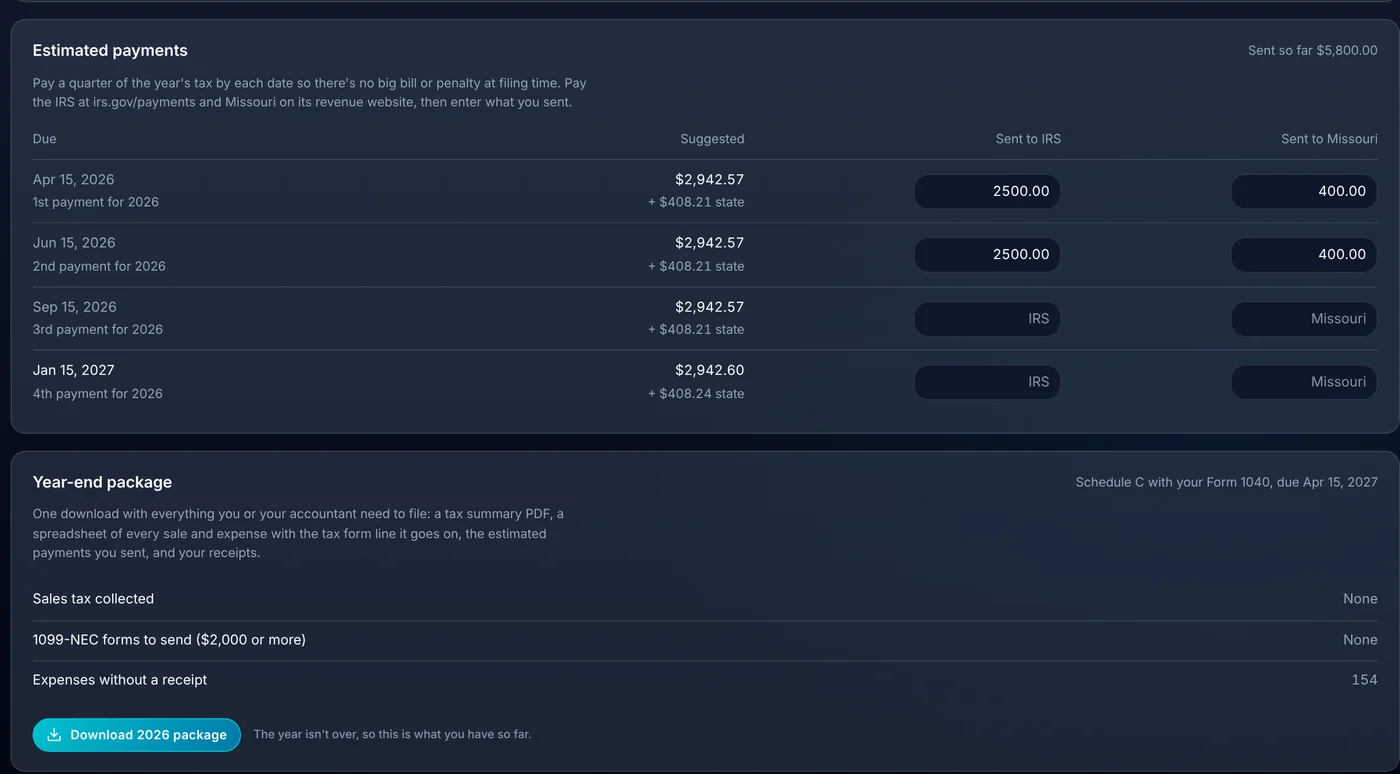
ALTITUDE estimates the tax on your profit so far and suggests what to send each quarter. Enter what you paid and it tracks the rest. These are estimates to plan with, so have your accountant confirm them.
- Self-employment, federal and state income tax estimated from your profit.
- Four estimated payments with due dates and suggested amounts.
- Record what you sent and see what's left.
- A year-end package: a tax summary, every sale and expense, and your receipts.
06 · Payouts
Pay your people and know the tax on it.
Record payouts to owners, salespeople and contractors. Each one shows what that person should set aside for taxes.
- Add each person with how they're paid.
- Record a payout and see the tax to set aside.
- Every payout in one list, by person.
- Choose who on your team can see expenses and profit.
What you stop paying for.
It doesn't replace your accountant. It replaces the shoebox.
- A receipt scanning appReceipts are read and filed on the expense.
- A profit spreadsheetProfit is worked out from paid invoices and expenses already in ALTITUDE.
- A box of paper at tax timeOne download has the summary, the numbers and the receipts.
Everything expenses and profit do.
Everything Expenses and profit does today, on every plan.
Expenses
- Add by hand
- Receipt photos and PDFs read for you
- Forward bills by email
- Repeating bills
- Categories
- Receipt kept on the expense
- Search and filters
Profit
- Money in, money out, profit
- Month by month chart
- Spending by category
- Stripe sales made outside ALTITUDE
- Download for your accountant
- Works on a phone
Taxes and payouts
- Estimated tax on profit
- Quarterly payment schedule
- Payments sent tracker
- Year-end package
- Payouts with tax to set aside
- Per-person access to expenses and profit
Expenses and profit, in plain English.
Still wondering? Ask the people who built it.
How do I add an expense?
Three ways: type it in, drop in a photo or PDF of the receipt, or forward the bill email to your ALTITUDE forwarding address. Receipts and emails are read for you, then you check them and save.
Where does the profit number come from?
Money in is your paid invoices, plus sales through your Stripe account if you bring those in. Money out is your expenses. Profit is the difference.
Are the tax numbers exact?
No. They're estimates from your profit and the published federal and state tables, meant to help you set money aside. Have your accountant confirm what you owe.
Does this replace QuickBooks or my accountant?
No. It gives an owner a quick, honest read on spending and profit. Your books can stay in QuickBooks Online, and the year-end package is made to hand to your accountant.
Can my bookkeeper see expenses without seeing everything else?
Yes. Expenses and profit is an extra access switch you turn on for each person.
Your next customer is about to call.
Be the shop that answers. Free for 30 days, and we do the setup.