

PIPELINE
Pipeline & Leads
Leads, stages, next steps, appointments, estimates, invoices, and portal handoff in one place — built for home-service jobs, not generic CRM clutter.
Pipeline in a real job.
Greg's water heater job sits on one pipeline card from the 7:42 AM missed call to the $650 paid at 12:40 PM. The card moves from new lead to scheduled to invoiced, with the next step on it at every stage.
Follow the whole job, first ring to paidRidgeline Home Services
No. 004218
Greg Albright · Water heater, no hot water
- 7:42 AMMissed callTexted back automatically
- 7:44 AMCustomer replied“No hot water. Can someone come today?”
- 8:10 AMVisit scheduledToday 11:00–12:30 · Luis O.
- 12:05 PMEstimate approvedGas valve + thermocouple
- 12:40 PMInvoice paidCard, from the invoice link
$650.00
One connected home-service flow.
Step 01
Capture lead
Stage: New lead
Step 02
+ Task
"Call back Tuesday 3:30pm."
Step 03
Schedule job
Stage: Scheduled
Step 04
Send estimate
Stage: Estimate sent
Step 05
Create invoice
Stage: Invoiced
Step 06
Open portal
Portal handoff
Built for home-service lead management
Pipeline, Tasks, Inbox, Scheduling, Estimates, Invoices, and Client Portal — one system. No dropped context.
- 01
Stages that fit your workflow
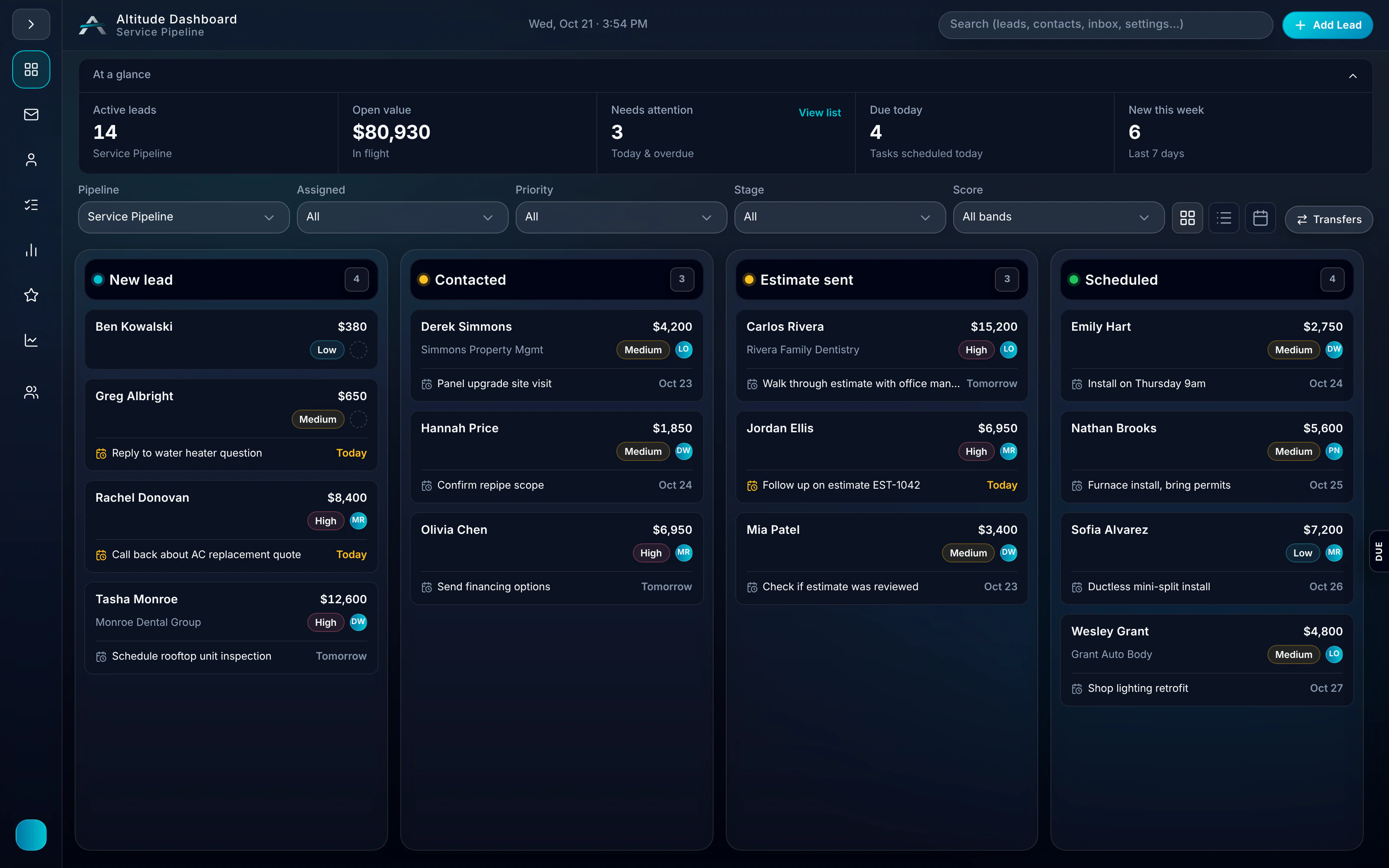
New lead → Follow-up → Estimate sent → Scheduled → Invoiced. Templates for HVAC, plumbing, roofing, electrical, and contractors. Customize in Admin.
- 02
Next-step on every card
Set the task — "Call back Tuesday 3:30pm." Your team sees it. No guessing what to do next.
- 03
Full context per lead
Job value, owner, priority, last touch, trade tags, appointment, estimate, and invoice context attached to the right customer.
- 04
Archive and restore
Move closed leads out of the way. Restore anytime. No clutter in the active pipeline.
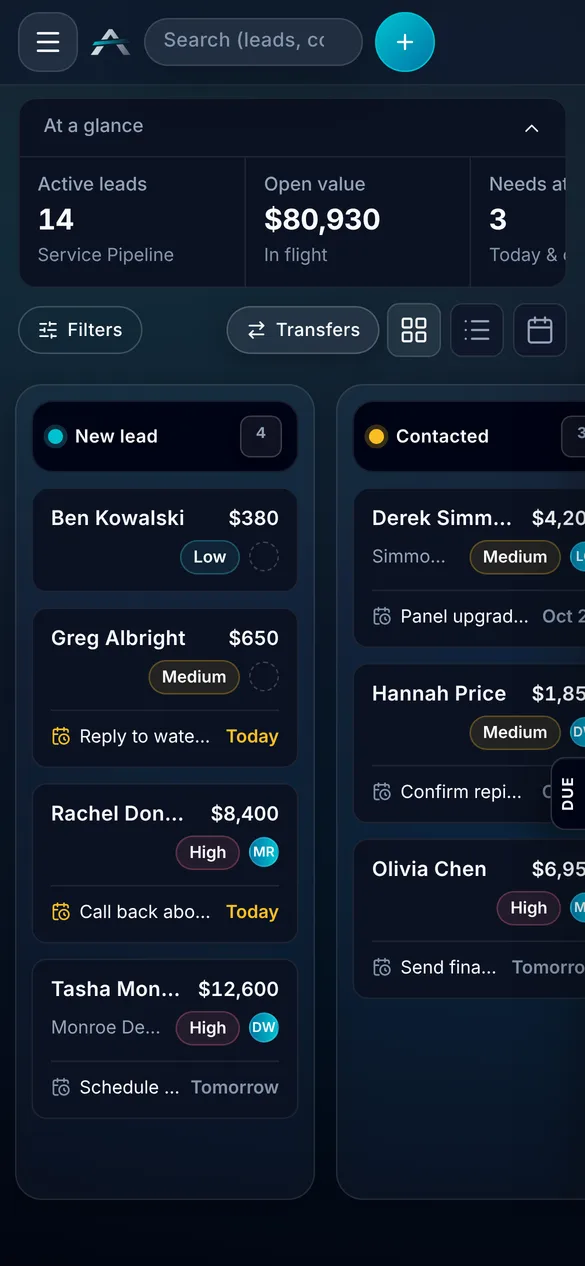
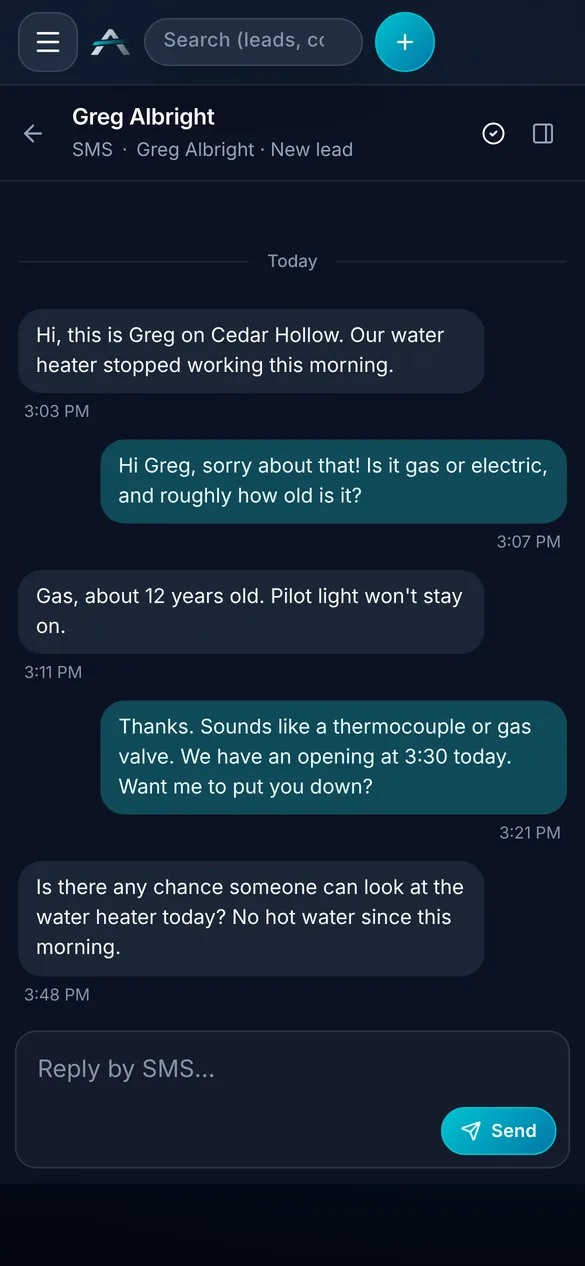
Real ALTITUDE screens. Demo data.
Guides that cover this workflow
Longer reads on the CRM and follow-up workflows this feature is part of.
Pipeline, in plain English.
Still wondering? Ask the people who built it.
Can I customize pipeline stages?
Yes. Admin → Stages lets you define stages, rename them, and use industry templates. Full ALTITUDE on every plan.
How does Pipeline connect to Tasks?
Set a next step on any lead — it becomes a task. Tasks appear in Today view. Pipeline and Tasks stay in sync.
Can I archive closed leads?
Yes. Archive closed leads to keep the active pipeline clean, and restore any of them whenever you need to.
Can leads come in from email or chat?
Yes. Pull leads from the Customer Inbox into Pipeline with the full thread and notes, and chat conversations create leads automatically.
Your next customer is about to call.
Be the shop that answers. Free for 30 days, and we do the setup.