

TASKS
Tasks & Today view
Due today, overdue, next-step workflow. Your team sees what needs attention right now — no dropped follow-up.
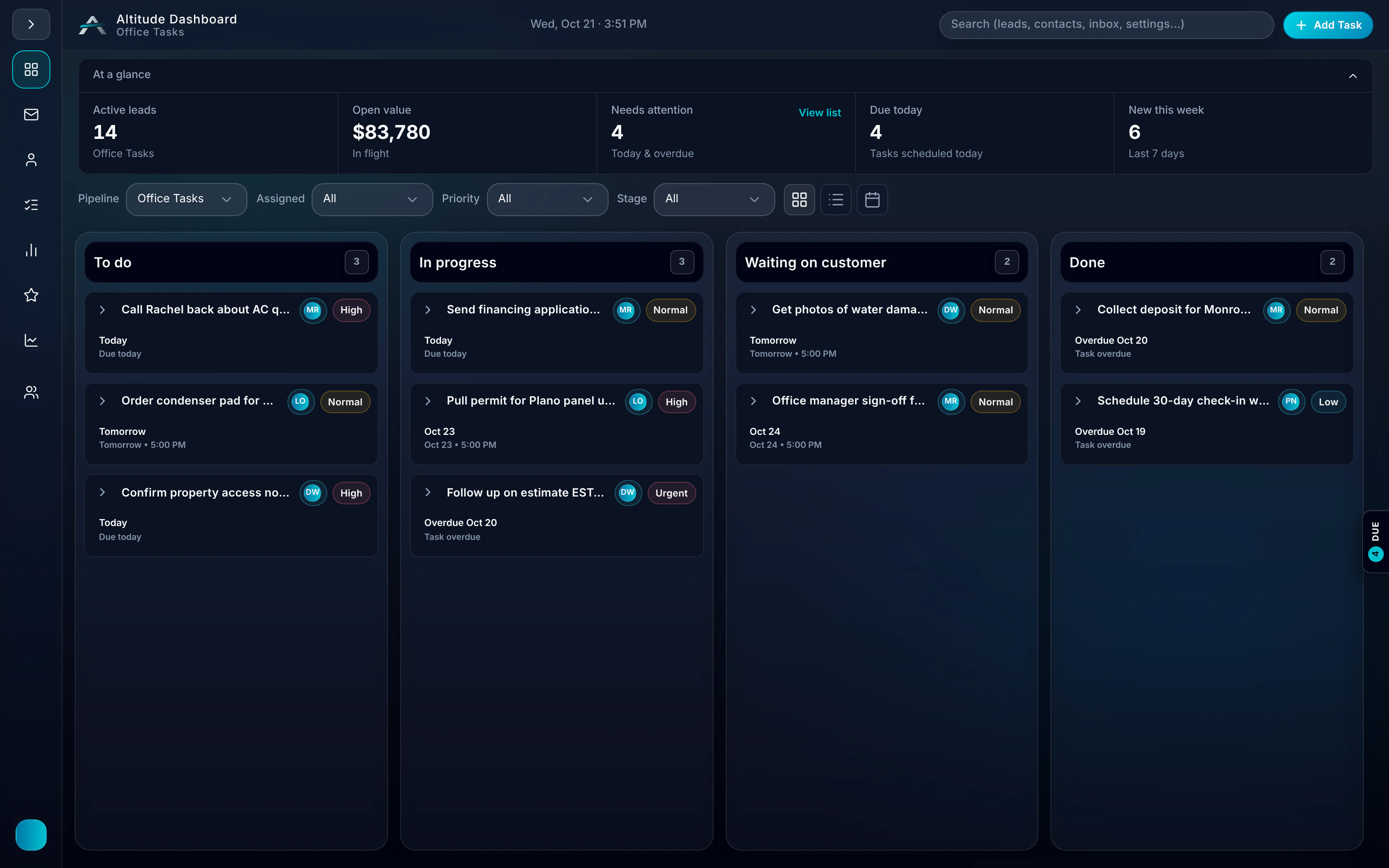
Tasks in a real job.
When Greg replies at 7:44 AM, the callback becomes a task on his lead with the conversation attached, and it sits in the Today view until someone handles it. By 8:10 AM that task is a visit on the schedule with Luis.
Follow the whole job, first ring to paidRidgeline Home Services
No. 004218
Greg Albright · Water heater, no hot water
- 7:42 AMMissed callTexted back automatically
- 7:44 AMCustomer repliedTasks“No hot water. Can someone come today?”
- 8:10 AMVisit scheduledTasksToday 11:00–12:30 · Luis O.
- 12:05 PMEstimate approvedGas valve + thermocouple
- 12:40 PMInvoice paidCard, from the invoice link
$650.00
Set the next step, and the work moves forward.
Step 01
Lead
Next step set in Pipeline
Step 02
Task
Call back Tuesday 3:30pm
Step 03
Today view
Due today · Overdue · Upcoming
No dropped follow-up.
Operational simplicity. Tasks flow from Pipeline. Today view keeps your team on track.
- 01
Due today, overdue — surfaced
Tasks appear in Today view. Overdue items get attention. No more buried to-dos.
- 02
Next step on every lead
Set the task in Pipeline — "Call back Tuesday 3:30pm." It flows to Tasks. One place to act.
- 03
Caller text-back follow-up
Anyone who calls your ALTITUDE number gets an instant text back, and the follow-up task lands on the lead with full context attached.
- 04
Open follow-ups at a glance
See which customers need a callback, estimate reminder, appointment confirmation, or invoice follow-up this week.
Guides that cover this workflow
Longer reads on the CRM and follow-up workflows this feature is part of.
Tasks, in plain English.
Still wondering? Ask the people who built it.
Where do tasks come from?
Tasks are set as next steps on leads in Pipeline. You can also add standalone tasks. Everything surfaces in Today view.
Can I see overdue items?
Yes. Today view shows due today, overdue, and upcoming. Overdue items are clearly marked so nothing slips.
What happens when someone calls our ALTITUDE number?
Anyone who calls your ALTITUDE business number gets an instant text back, and you can set a follow-up task on that lead so the callback does not slip.
Can I create tasks from the inbox?
Yes. Set a task from any email thread, and it shows up in the Today view with the conversation attached.
Your next customer is about to call.
Be the shop that answers. Free for 30 days, and we do the setup.