

Crew app
Everything a tech needs for the day, on the phone they already carry.
Your crew opens today's visits on any phone, with directions, the customer's number and the job notes. They tap On my way, work the checklist, add photos and materials, and the office sees it as it happens.
- Opens in the browser, nothing to install
- Any phone
- The crew app is included
- Every plan
- Timesheets export for payroll
- CSV
Watch it work
On the way to done, from the tech's phone.
The tech taps On my way, works the checklist, adds photos and finishes. The office sees each step on the visit as it happens.
01 · Today
Their day, in order.
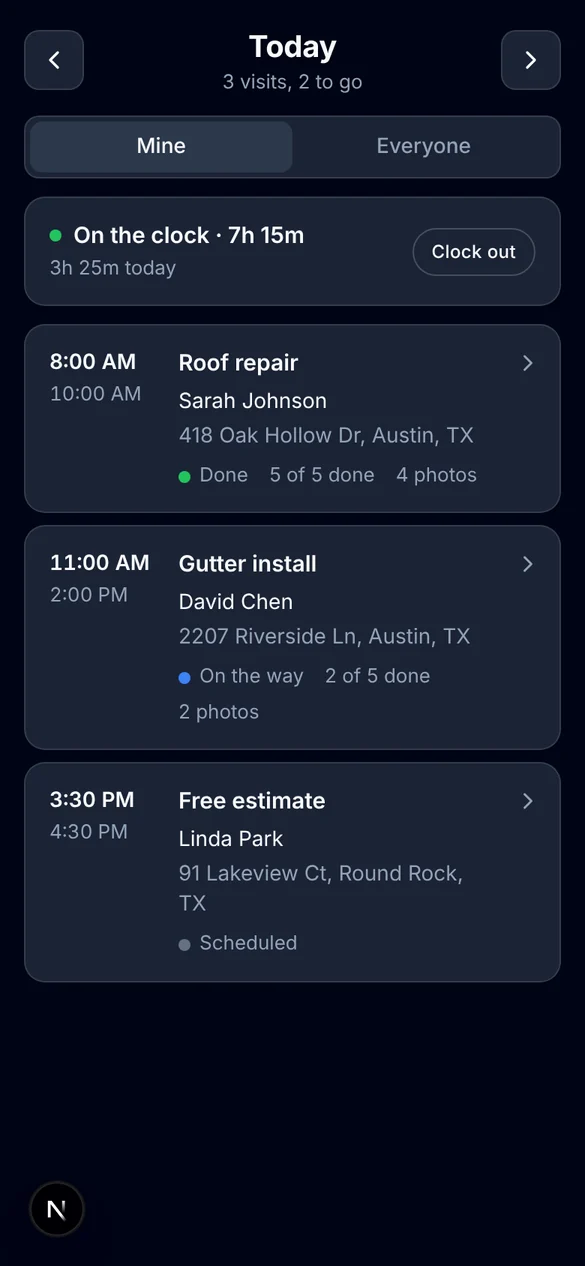
Each tech sees the visits assigned to them, with the time, the customer and the address. A switch shows everyone's visits when they need the bigger picture.
- Today's visits with how many are left to go.
- Status, checklist progress and photo count on each visit.
- Move to tomorrow or back a day.
- Mine or Everyone, in one tap.
02 · At the visit
No calling the office for the address.
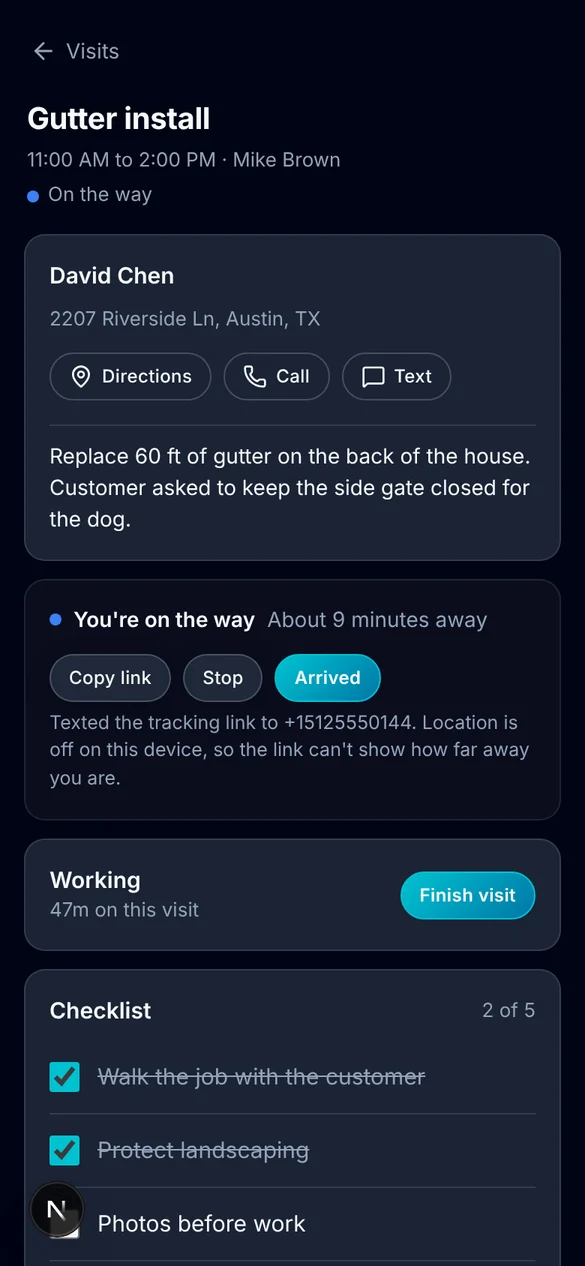
Open a visit and everything is there: who the customer is, how to get there and what the job is.
- Directions, Call and Text buttons for the customer.
- The job notes from the office.
- On my way sends the customer a text with a live tracking link.
- Start the visit and time runs on it.
03 · The work
Proof of the job, attached to the job.
What the tech records on site lands on the visit in the office, so there's no end-of-day catch-up.
- Checklists, from templates you set up once.
- Before and after photos and short videos.
- Materials used, picked from your items list, with quantities.
- The office sees checklist progress, photos and time on the visit.
04 · Time
A time clock that knows which visit.
Techs clock in and out from the same screen. ALTITUDE keeps both numbers: time on the clock and the part spent on visits.
- Clock in and out in one tap.
- Time on each visit, started and stopped by the tech.
- Weekly timesheets for each person in settings.
- Download timesheets as a CSV for payroll.
What you stop paying for.
The crew works on the same record as the office.
- A separate field appVisits, notes and photos live on the job your office already has open.
- Paper checklists and job foldersChecklists are filled in on the phone and saved to the visit.
- A time clock appClock in and out sits beside today's visits, with a CSV for payroll.
Everything the crew app does.
On every plan. Each person on your team can use it with their own sign-in.
The day
- Today's visits
- Mine or Everyone
- Visit status at a glance
- Directions to the address
- Call and text the customer
- Job notes from the office
On site
- On my way with tracking link
- Start and finish the visit
- Checklists from templates
- Photos and short videos
- Materials used with quantities
Time
- Clock in and out
- Time per visit
- Weekly timesheets
- CSV download
- Office or field view per person
Crew app, in plain English.
Still wondering? Ask the people who built it.
Do my techs need to install anything?
No. The crew app opens in the browser on any phone. Techs sign in with their own ALTITUDE account.
Is there an iPhone app?
An iPhone app is coming soon. Today the crew app runs in the phone's browser and does the same job.
What can a tech see?
Their own visits by default, with a switch to see everyone's. You control what each person can do in ALTITUDE with roles and permissions.
Does the office see updates right away?
Yes. Checklist progress, photos, materials and time show on the visit in the office as the tech records them.
Can I use the time clock for payroll?
ALTITUDE tracks time on the clock and time on visits for each person and exports timesheets as a CSV. It doesn't run payroll itself.
Your next customer is about to call.
Be the shop that answers. Free for 30 days, and we do the setup.