

Estimates
Send the quote from the driveway. Get the yes, and the deposit, the same day.
Build an estimate from the job you already have open. Offer good, better and best, ask for a deposit, and let the customer sign from their phone. The approved option becomes the invoice.
- Options on one estimate
- Up to 4
- Options, deposits and financing links are included
- Every plan
- From approved estimate to invoice
- 1 step
Watch it work
The customer picks, signs and approves on their phone.
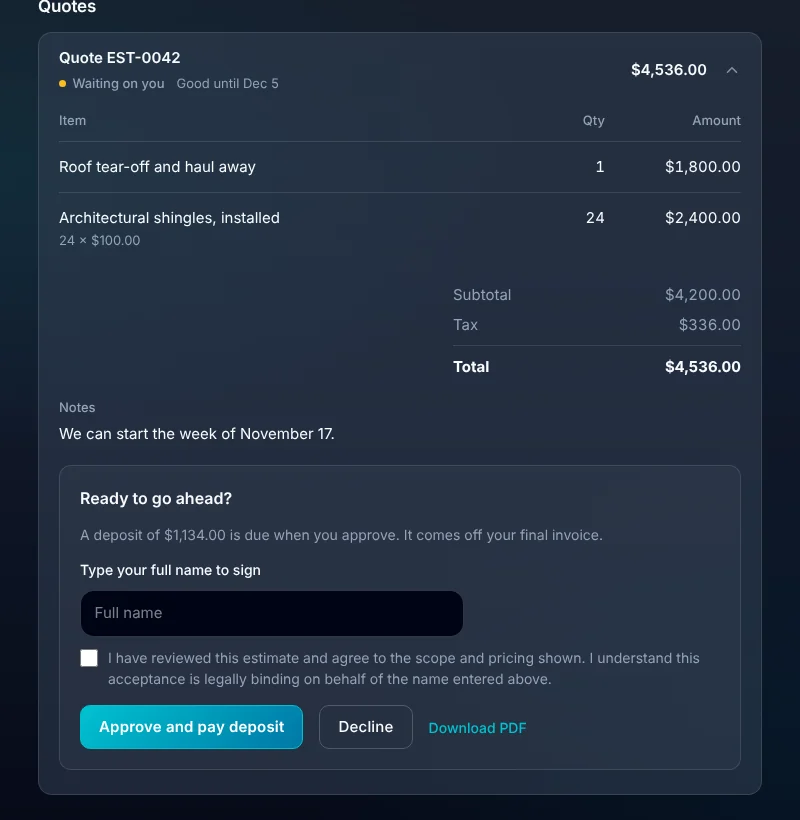
They choose an option, type their name and approve. Your office sees which option won, and the deposit invoice is already made.
01 · Build it
An estimate that starts with what you already know.
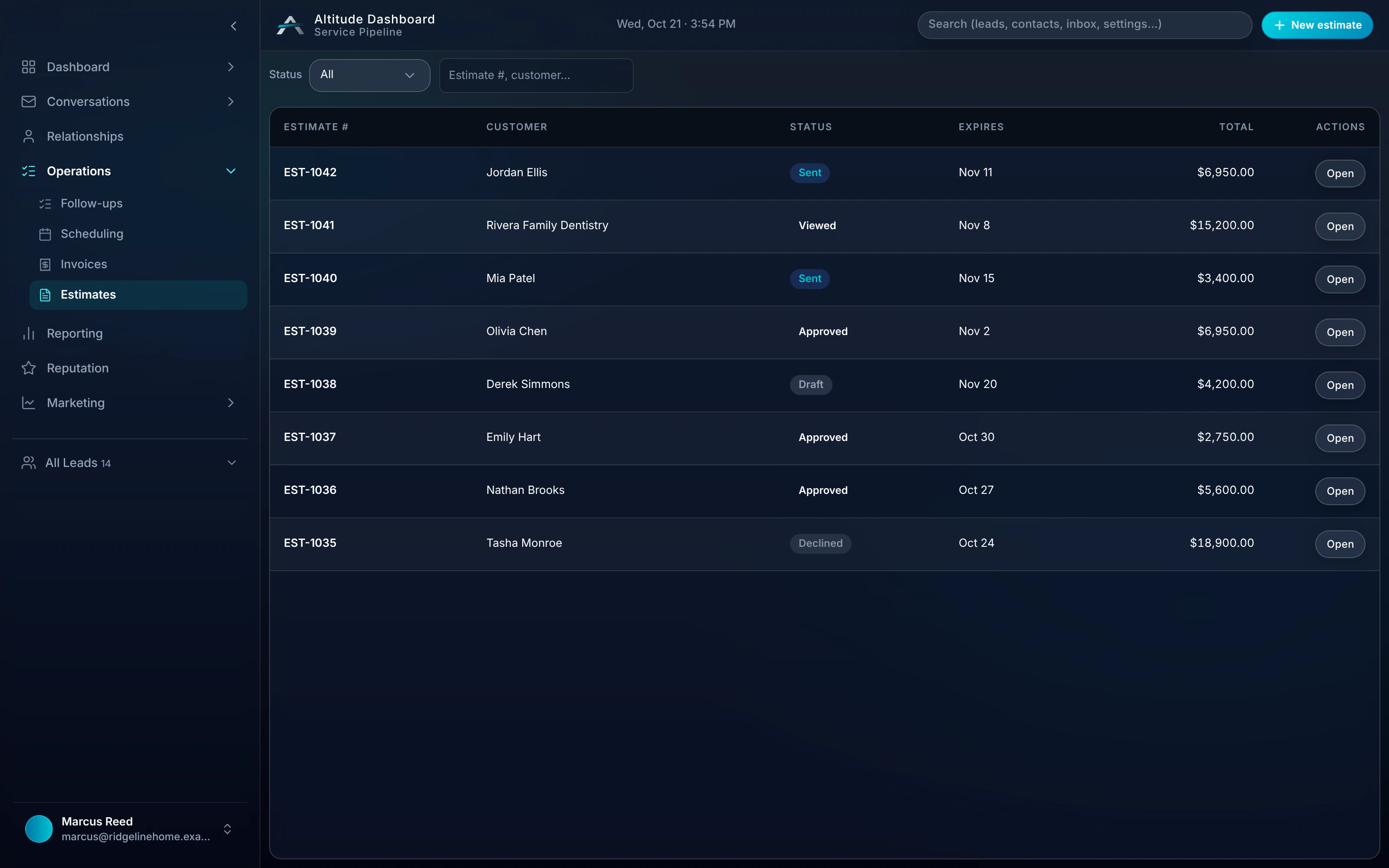
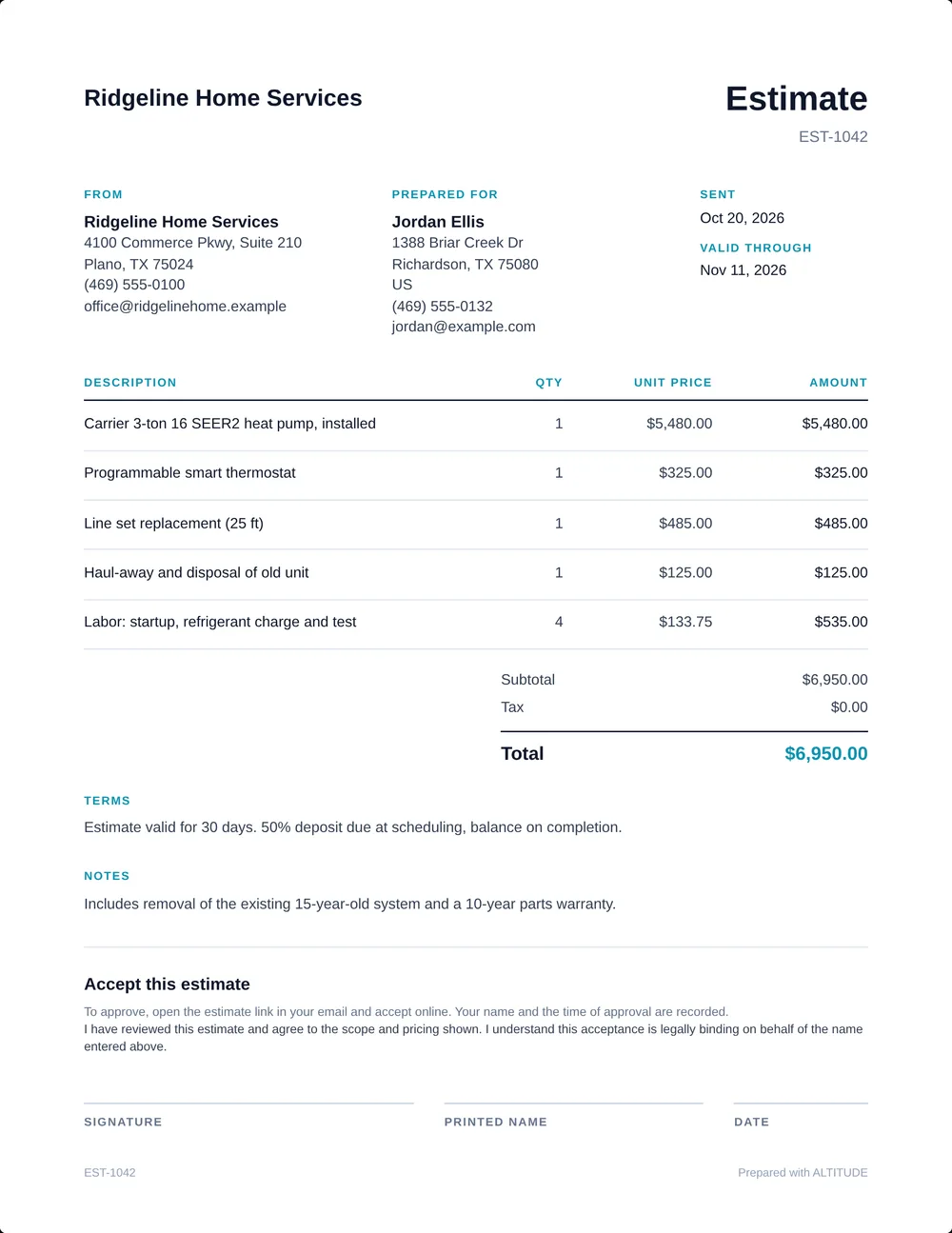
Start from the lead or the customer and the name, address and job come with it. Add line items from your items list, and send it by email with a PDF attached.
- Line items with quantity and price, from your saved items or typed in.
- Discounts, tax, notes and terms.
- An expiry date the customer can see.
- A clean PDF with your logo.
- Draft, sent, approved and declined, all on one list.
02 · Good, better, best
Give them a choice, and the middle one usually wins.
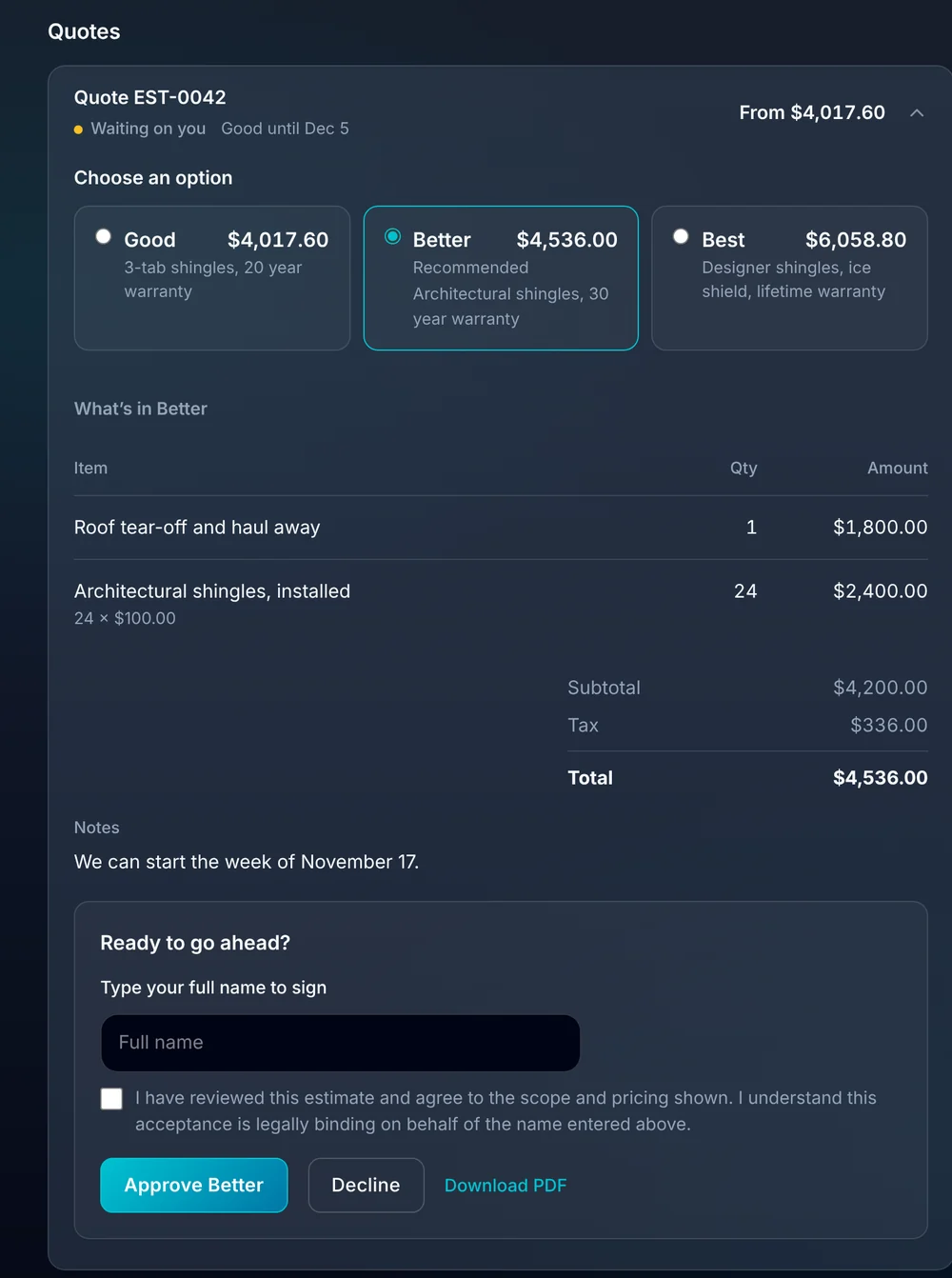
Put up to four options on one estimate, each with its own line items and total. Mark one as recommended. The customer picks one, and that option is what gets approved.
- Each option has its own name, description and price.
- Mark the one you recommend.
- The customer sees what's in each option before they choose.
- Only the chosen option becomes the invoice.
03 · Approval
A real yes, in writing.
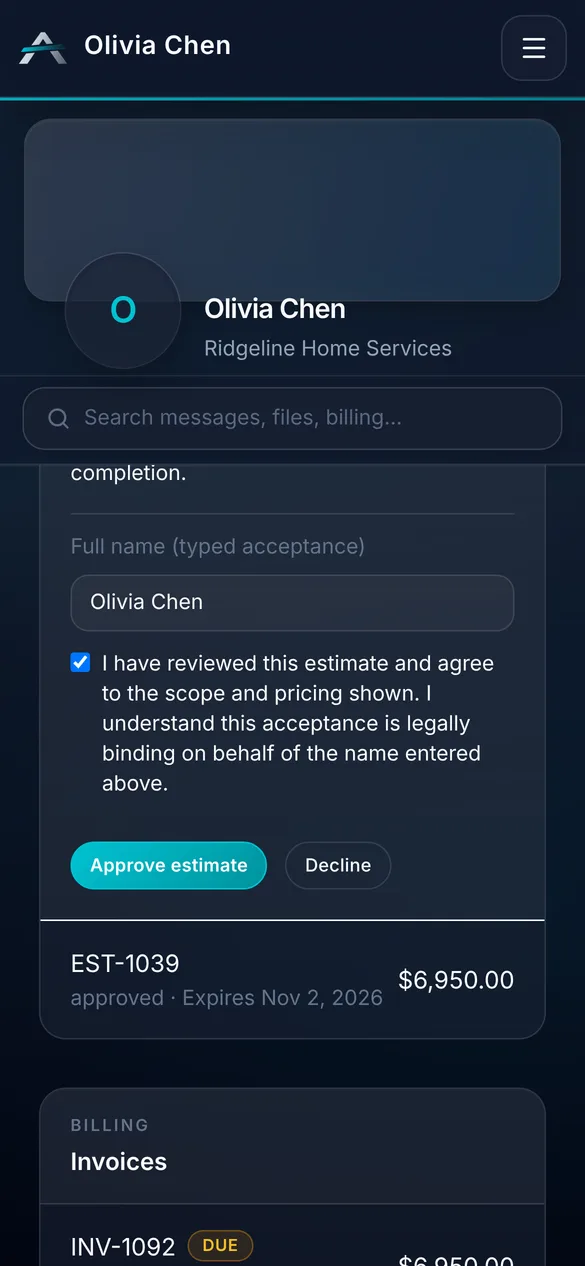
The customer opens the quote in their portal, types their full name to sign and approves. No printing, no app to download.
- Typed-name approval with a clear statement of what they're agreeing to.
- Approve or decline from any phone.
- Your team is notified the moment it's approved.
- Download the PDF from the same page.
04 · Deposits
Collect the deposit when they say yes.
Ask for a percent of the total or a set amount. The customer approves and pays the deposit in one go, and it comes off the final bill.
- A percent or a fixed amount, set once or per estimate.
- The deposit is its own invoice, made on approval.
- The paid deposit is taken off the final invoice.
- The estimate shows whether the deposit is paid.
05 · Pay over time
Don't lose the big job to the price.
Add your financing partner's application link and choose the smallest amount to offer it on. Customers see Pay over time on larger quotes and invoices.
- Works with the partner you already use.
- Customers apply with the partner directly.
- ALTITUDE never sees their credit details.
- Off until you turn it on.
What you stop paying for.
The estimate is part of the job, not a separate document.
- A separate quoting toolEstimates are built on the customer record, with your items and prices.
- An e-signature serviceCustomers sign by typing their name in the portal.
- Chasing deposits by phoneThe deposit is asked for at approval and paid by card or bank.
Everything estimates do.
On every plan.
Building
- Line items from your items list
- Discounts and tax
- Notes and terms
- Expiry date
- PDF with your logo
- Email to the customer
Selling
- Up to four options
- Recommended option
- Deposit by percent or amount
- Pay over time link
- Typed-name approval
- Approve or decline in the portal
After the yes
- Convert to an invoice
- Deposit taken off the final invoice
- Approval notification to your team
- Status on the lead and in the pipeline
- Syncs to QuickBooks Online
Estimates, in plain English.
Still wondering? Ask the people who built it.
Can I offer more than one option on an estimate?
Yes. One estimate can hold up to four options, like good, better and best. The customer picks one in the portal and that option becomes the invoice.
How do customers approve?
They open the quote from the email or their portal, type their full name to sign and press approve. It works on any phone.
Can I take a deposit before the work starts?
Yes. Set a deposit as a percent or a fixed amount. When the customer approves, a deposit invoice is made for them to pay, and the paid deposit comes off the final invoice.
Can customers finance a big job?
Yes, through your own financing partner. Add the partner's application link in settings and pick the smallest amount to offer it on. Customers apply with the partner directly.
What happens after the customer approves?
Your team is notified, the estimate shows as approved on the lead, and you turn it into an invoice in one step with the same line items.
Your next customer is about to call.
Be the shop that answers. Free for 30 days, and we do the setup.