

Online booking
Let customers book an open time while you're on a job.
Share one link on your website, your Google profile or a text. Customers pick a service and a time your team can really make, and the visit lands on your schedule with a person on it.
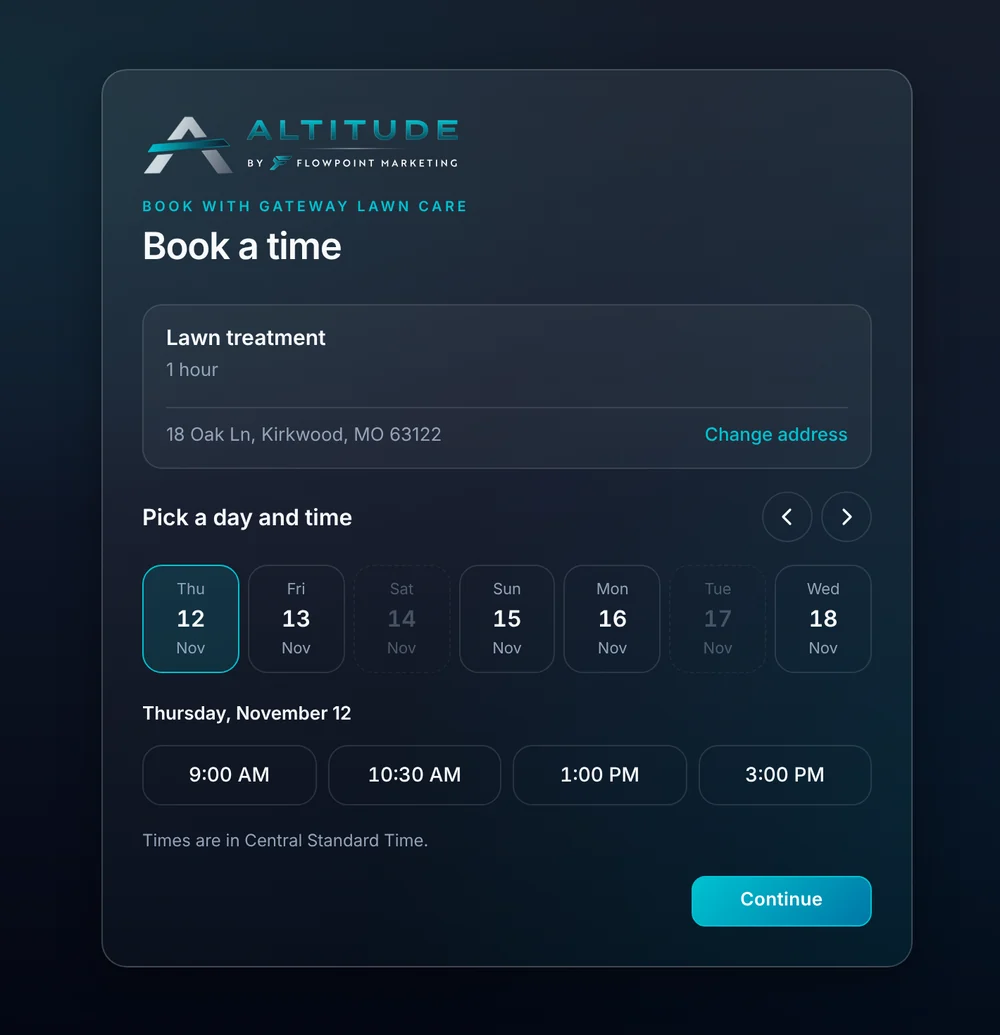
- For your website, Google profile and texts
- 1 link
- Online booking is included
- Every plan
- Customers book when it suits them
- 24/7
Watch it work
Booked in three taps, with nobody on the phone.
The customer picks a day and an open time and presses Book. The visit shows up on your schedule with a person assigned.
Book with Ridgeline Home Services
Book a time
01 · What customers book
You choose what can be booked.
Add the services customers can book and how long each takes. Hide one when you're not offering it, without losing what's already booked.
- A name, a short description and a length for each service.
- The length sets how much of the schedule each booking takes.
- Hide or remove a service any time. Booked appointments stay on the schedule.
- Your own page title and a note at the top.
- Set the earliest a customer can book, in hours from now.
02 · Open times
Only times you can keep.
The booking page reads the same hours, time off and visits as your calendar. A customer never sees a time when nobody is working.
- Times sit inside each person's weekly hours, around their visits and time off.
- Buffer time after each visit is kept free.
- If two customers go for the same time, the second is asked to pick another.
- When more than one person is free, the booking goes to whoever has the fewest visits that day.
03 · Drive-aware booking
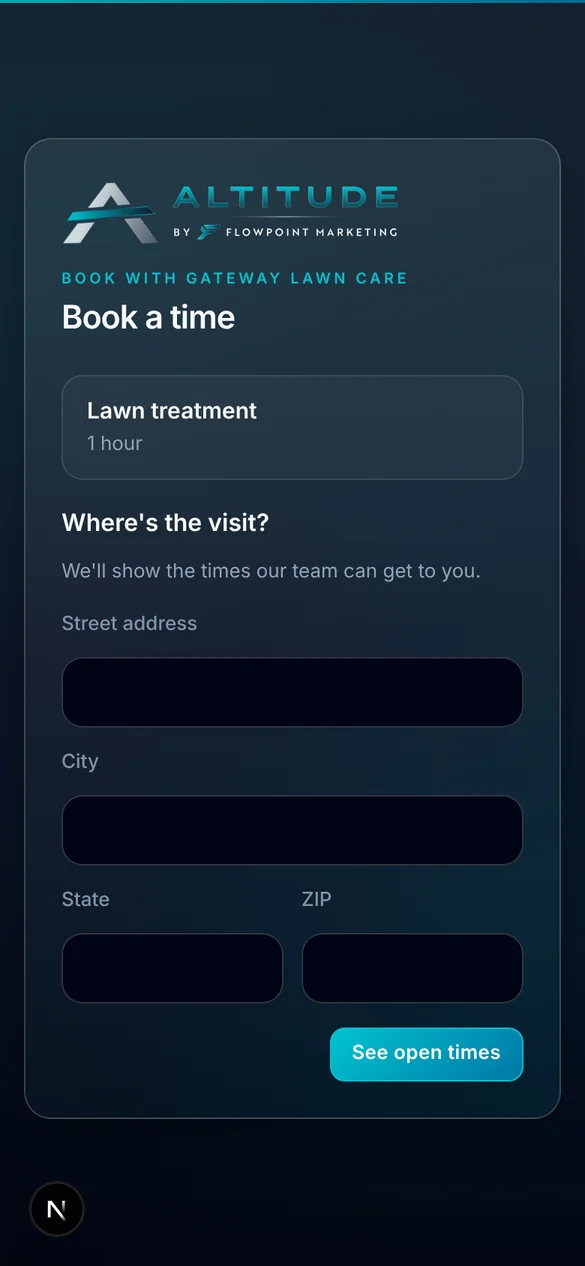
It asks where the visit is first.
Turn on drive-aware booking and the page asks for the address before it shows times. Times your team can't drive to in time aren't offered.
- Times that leave too little drive time are left out.
- Times that need a drive past your longest drive are left out.
- The visit goes to whoever is closest.
- Turn it off for phone calls or visits at your shop.
04 · After they book
The booking does the office work.
A booking isn't just a calendar entry. It creates what your office would have typed.
- The visit lands on your schedule with a person on it.
- A new customer becomes a lead with their details.
- The customer gets a confirmation.
- Reminders and on my way texts follow like any other visit.
What you stop paying for.
Booking reads your real calendar, so there's nothing to keep in step.
- A separate booking toolNo second calendar to sync. The booking page reads your crew calendar directly.
- Phone tag to find a timeCustomers see open times and pick one, day or night.
- Retyping bookings into a CRMA booking from a new customer becomes a lead on its own.
Everything online booking does.
On every plan.
Your booking page
- One link to share anywhere
- Your logo, title and note
- Services with lengths and descriptions
- Hide or remove services
- Works on phones
Times
- Open times from team hours
- Respects visits and time off
- Buffer time kept free
- Earliest booking setting
- Drive-aware times by address
- Closest person gets the visit
After the booking
- Visit on the schedule
- New customers become leads
- Customer confirmation
- Reminders by email or text
- On my way texts
Online booking, in plain English.
Still wondering? Ask the people who built it.
Where do I put the booking link?
Anywhere you can paste a link: a button on your website, your Google Business Profile, your email signature or a text to a customer.
Can customers book a time when nobody is working?
No. The page only shows times inside each person's weekly hours, around their existing visits and time off.
What happens when a new customer books?
The visit goes on your schedule and a lead is made with their details, so your office sees a new customer and not just a calendar entry.
Can I control which services can be booked online?
Yes. You add each service customers can book, with its length. Bigger jobs that need an estimate first can stay off the list.
Does it know how far away the customer is?
It can. With drive-aware booking on, the page asks for the address first and leaves out times your team can't drive to in time.
Does the AI receptionist use the same times?
Yes. The receptionist books calls with the same services and hours as your booking link.
Your next customer is about to call.
Be the shop that answers. Free for 30 days, and we do the setup.