

Email campaigns
Bring past customers back with one email.
Your customer list already lives in ALTITUDE. Pick who should hear from you, like everyone who hasn't paid an invoice in a year, write one email and send it. No export, no second tool.
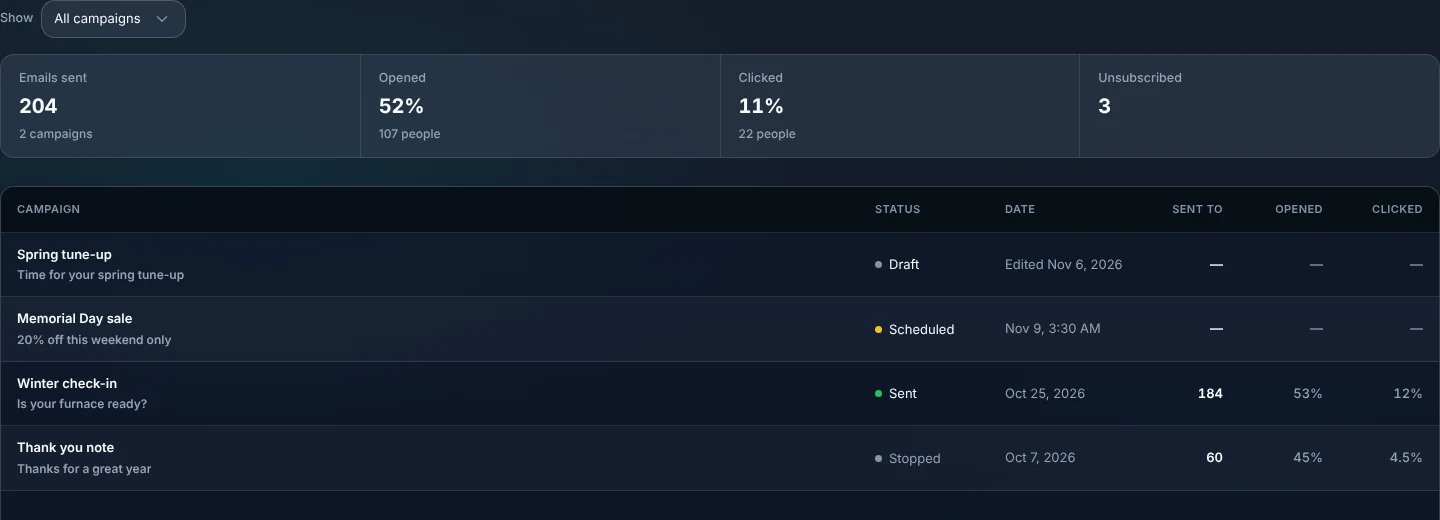
- Campaign emails a month on Starter
- 2,000
- For anyone to unsubscribe
- 1 click
- The list is your customers, as they are today
- 0 exports
Watch it work
Pick who, write it once, send.
Choose customers who haven't paid in a year. ALTITUDE counts who gets it, leaves out anyone who unsubscribed, and reports back.
31 people clicked Book a tune-up
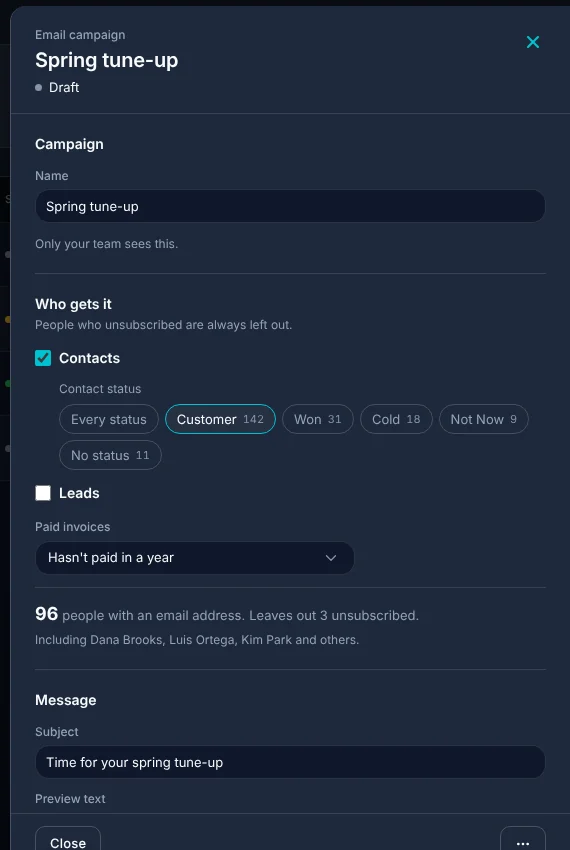
01 · Who gets it
Your real customer list, sliced the way you think.
Pick contacts, leads or both, then narrow it down. ALTITUDE shows the count and a few names before you send, so there are no surprises.
- Contacts by status, like customers, won or cold.
- Leads by pipeline stage.
- By paid invoices, like people who haven't paid in a year.
- People who unsubscribed are always left out.
- People with no email address are left out and counted.
02 · The email
Write it like a note, not a newsletter.
A subject, a few plain paragraphs and one button. The customer's first name drops in where you want it.
- Subject and preview text.
- First name, full name and your business name fill in.
- One button with your link, like your booking page.
- A preview of exactly what goes out.
- Send yourself a test first.
- Replies come back to your own email address.
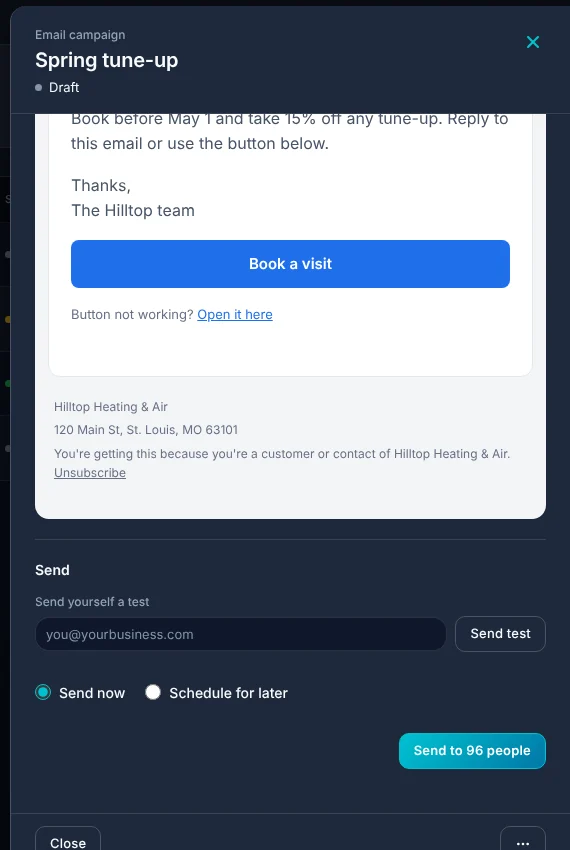
03 · Sending
Now, or Tuesday at 9.
Send right away or pick a time. If you change your mind, cancel a scheduled send or stop one that's going out.
- Send now or schedule for later.
- Cancel a scheduled send before it goes.
- Stop a send part way through.
- Duplicate a campaign to reuse it next season.
04 · Results
See who opened and who clicked.
Each campaign shows how many were sent, opened and clicked, and who unsubscribed. Clicks are the surer sign of interest, because some email apps open every message on their own.
- Sent, opened, clicked and unsubscribed for each campaign.
- Totals across all campaigns at the top.
- Every email has your business address and an unsubscribe link.
What you stop paying for.
A separate email tool means a second copy of your customer list that's always out of date.
- A newsletter toolCampaigns send from the same place your customers live.
- Exporting and importing listsThe list is built from your contacts and invoices when you send.
- A spreadsheet of who opted outUnsubscribes are kept and honored on every send.
Everything Email campaigns does.
On every plan, once an admin turns on Marketing. Campaign emails each month: 2,000 on Starter, 4,000 on Professional, 10,000 on Business.
Audience
- Contacts and leads
- Contact status
- Pipeline stage
- Paid invoice filters
- Live count before sending
- Unsubscribed people left out
- Subject and preview text
- Name fill-ins
- One button with your link
- Email preview
- Test send
- Replies to your address
Sending and results
- Send now or schedule
- Cancel or stop a send
- Duplicate a campaign
- Opens and clicks
- Unsubscribe link and business address
Email campaigns, in plain English.
Still wondering? Ask the people who built it.
How many emails can I send?
Each plan includes campaign emails every month: 2,000 on Starter, 4,000 on Professional, 10,000 on Business. One email to one person counts as one.
Can people unsubscribe?
Yes. Every campaign email has an unsubscribe link, and anyone who uses it is left out of every later campaign.
Where do replies go?
To your own email address, so a customer who replies to book reaches you directly.
Can I send text campaigns too?
This page covers email. One-to-one texting with customers is part of ALTITUDE and is described on the Texting page.
Do I need to import a list?
No. The audience is built from the contacts, leads and invoices already in ALTITUDE.
Can I see what it looks like before it goes out?
Yes. The draft shows a preview, and you can send yourself a test.
Your next customer is about to call.
Be the shop that answers. Free for 30 days, and we do the setup.