

Lead forms
A form on your website that turns into a lead, not an email.
Build a form, match it to your site and paste it in. Every response becomes a lead in your pipeline with the answers saved, an owner picked and a score added.
- On a page, as a pop-up button, or a share link
- 3 ways
- Starting styles, then your fonts and colors
- 5 looks
- Sent to a board, stage and person by the answers
- Routed
Watch it work
From the form to the right person.
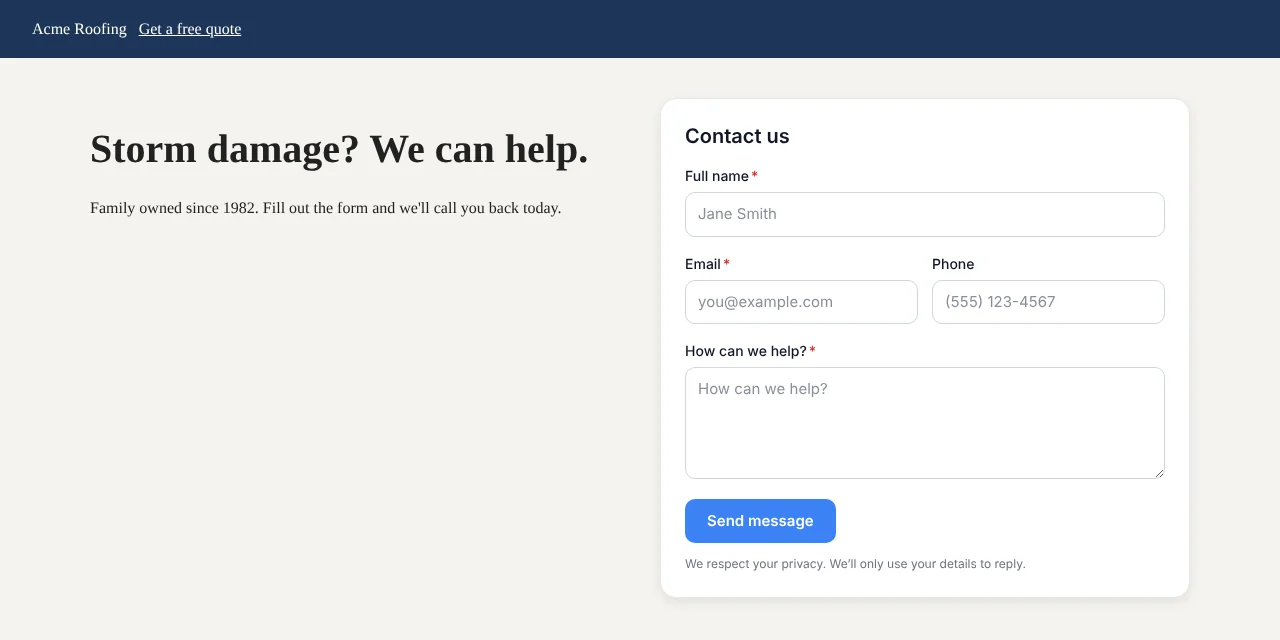
A homeowner fills in the form on a roofing site. The answer picks the board, the lead gets a score, and it's handed to whoever is next in line.
01 · Build
Drag the questions in. Start from a template.
Pick the fields you want from a list and put them in order. Mark the ones people must answer, add a line of help text, and offer choices where a short list is easier than typing.
- Start from a template or a blank form.
- Required fields, help text and multiple choice.
- Preview on a desktop and a phone while you build.
- Turn a form off without deleting it or its responses.
02 · Your look
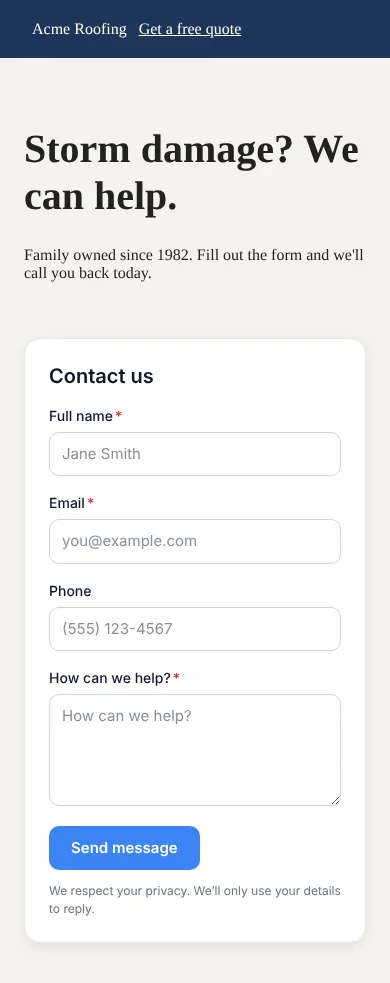
It looks like your website, not ours.
Choose a starting look, then set the fonts, colors, corners and spacing to match your site. Light or dark, your call.
- Five starting looks, from warm trades to modern light.
- Your own fonts, colors, corners, shadow and spacing.
- Works in light or dark.
03 · Add it
Paste one snippet, or just share the link.
Put the form on a page, open it from a pop-up button, or send people a link. There are written steps for the common website builders.
- Steps for WordPress, Wix, Wix Studio, Squarespace and GoDaddy.
- After someone sends it, show a thank-you or send them to your booking page.
- A text consent switch for forms that ask for a phone number.
04 · Rules
Each answer goes where it belongs.
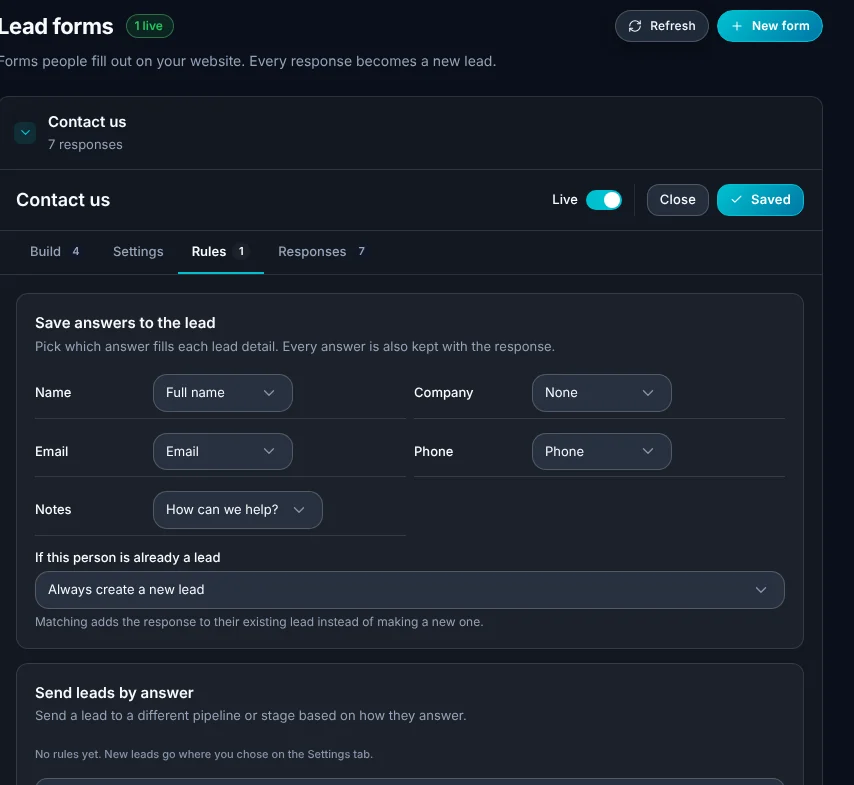
Decide which answer fills which lead detail, and what happens when the person is already in ALTITUDE. Then route by answer: a "roof replacement" answer can go to a different board than a "repair".
- Save answers into the lead's details.
- Match an existing lead, or always make a new one.
- Send leads to a board or stage based on an answer.
- Give an answer points toward the lead's score.
- Hand new leads to one person, or take turns across the team.
What this takes off your plate.
Lead forms are part of every ALTITUDE plan.
- A contact form that emails youResponses land in the pipeline with an owner, not in an inbox someone has to watch.
- A separate form builderThe form, the lead and the follow-up are in one place.
- Typing leads in by handAnswers fill the lead's details for you.
Everything in lead forms.
Everything Lead forms does today, on every plan.
Builder
- Drag to add and reorder fields
- Templates to start from
- Required fields and help text
- Desktop and phone preview
Style
- Five starting looks
- Fonts, colors and corners
- Shadow and spacing
- Light or dark
On your site
- Code to paste on a page
- Pop-up button
- Share link
- Thank-you message or send to booking
After it's sent
- A new lead with every answer saved
- Route to a board and stage by answer
- Assign to a person or take turns
- Points toward the lead score
- A list of every response
Lead forms, in plain English.
Still wondering? Ask the people who built it.
Do I need a developer to add a form?
No. You copy one snippet and paste it where the form should show. There are written steps for WordPress, Wix, Wix Studio, Squarespace and GoDaddy. If you'd rather not touch the site, share the form's link instead.
What if the person is already a customer?
You choose. A form can match the response to their existing lead, or always make a new one.
Can a form send people to book a visit?
Yes. After they send the form you can show a thank-you message or send them to your online booking page.
Can I text people who fill in a form?
Only if they agree. Turn on the text consent switch and the form asks for permission, which is saved with the lead.
Can other tools hear about a new response?
Yes. A webhook can tell Zapier, Make, n8n or your own app when a website form is filled in.
Your next customer is about to call.
Be the shop that answers. Free for 30 days, and we do the setup.