

Job forms
The reading gets taken before the job gets closed.
Turn your checklists into job forms. Ask yes or no, take a reading with its unit, pick from a list or require a photo, and the crew can't mark the visit done until the required items are filled in.
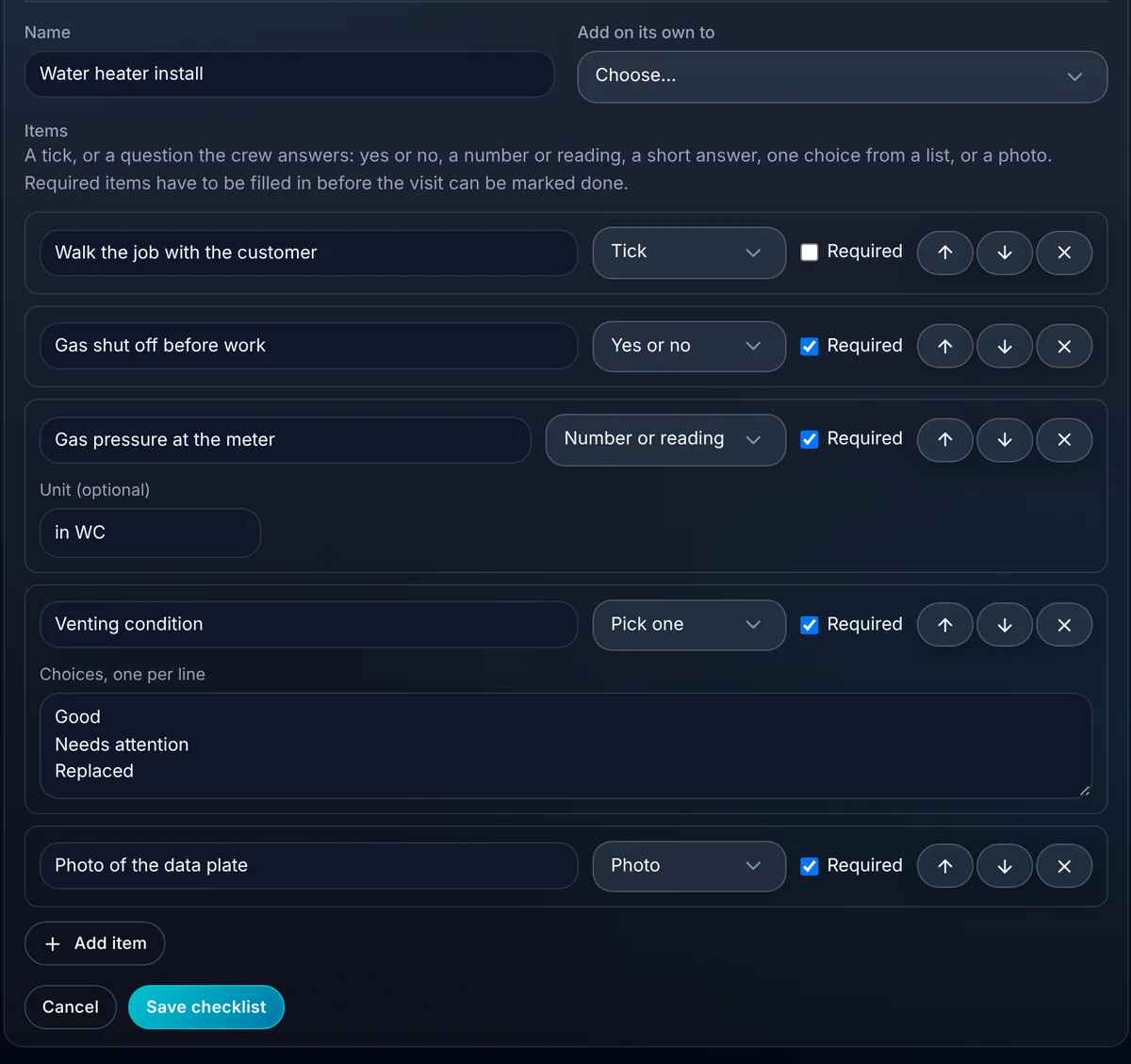
- Kinds of items, from a tick to a photo
- 6
- Items that block Mark done until answered
- Required
- Job forms are included
- Every plan
Watch it work
Mark done waits for the readings.
The tech answers each required item on the phone. Until the last one is in, the visit stays open and the app says what's left.
Every required item is in.
01 · Build it once
Your checklist, with real answers.
Write a form for each kind of job in settings, item by item. Pick what each one asks for and mark the ones that can't be skipped.
- A tick, yes or no, a number or reading, a short answer, one choice from a list, or a photo.
- An optional unit on readings, like in WC, PSI or amps.
- Mark any item Required.
- Add a form to every visit of a type, or let the crew add it on site.
02 · On site
Fast to fill in with one thumb.
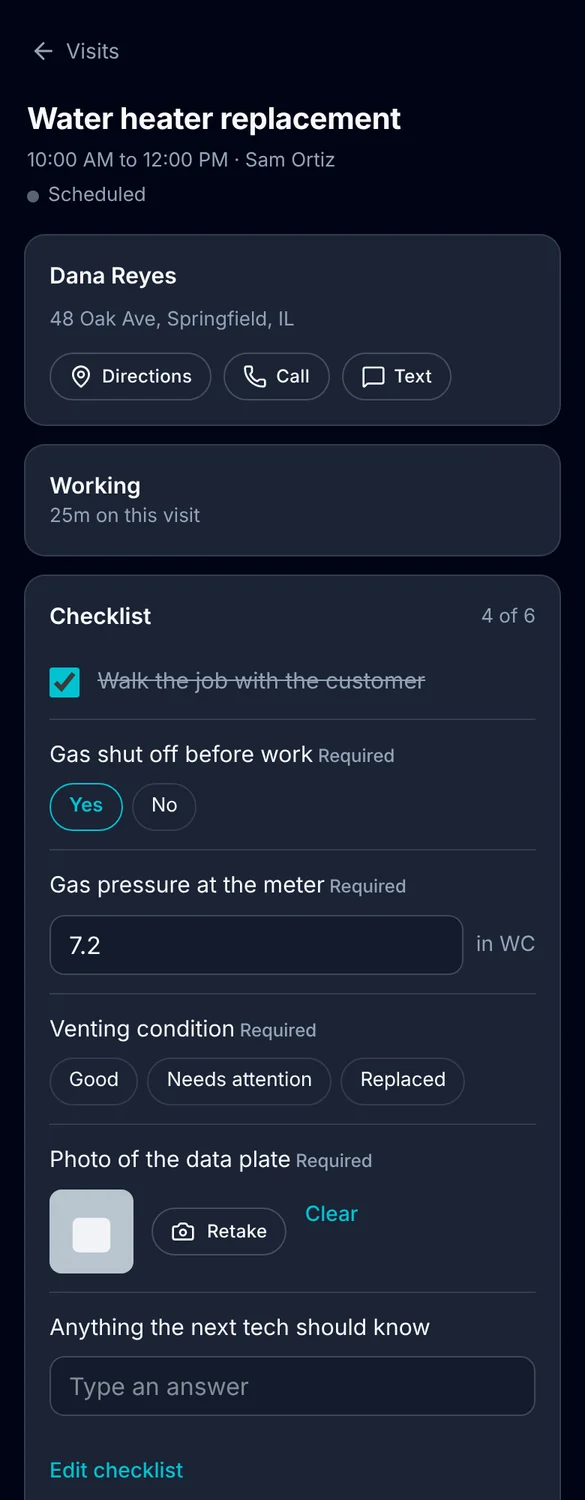
The crew answers on the visit in the crew app: Yes and No buttons, a number box with its unit, choice chips and Add photo.
- Required items are labeled, so nobody guesses.
- A photo taken for the form is also saved to the visit's photos.
- Mark done is refused until every required item is in, and the app names what's left.
- If the tech clocks out first, their time is still saved.
03 · In the office
The answers are on the job, not in a glovebox.
Every answer shows on the visit in the office the moment it's saved, under the item it answers.
- Read answers on the visit, like "Gas pressure at the meter: 7.2 in WC".
- Only an owner or admin can take a required item off a visit.
- Deleting a photo clears any form item it answered, so nothing points at a missing picture.
- Answers print on the service report when the crew uses the phone apps (coming soon).
What you stop paying for.
Forms live on the visit, next to the photos and the time.
- Paper inspection sheetsReadings and photos are saved on the visit, and required ones can't be skipped.
- A separate forms appNo second login and no copying answers back to the job.
Everything job forms do.
Everything Job forms does today, on every plan.
Items
- Tick
- Yes or no
- Number or reading with unit
- Short answer
- Pick one from a list
- Photo
Rules
- Required items
- Mark done waits for required items
- Reorder items
- Add to every visit of a type
- Owner or admin removes required items
Where answers show
- The crew app
- The visit in the office
- Visit photos for photo items
Job forms, in plain English.
Still wondering? Ask the people who built it.
Can I make a tech take a reading before closing the job?
Yes. Mark the item Required. The visit can't be marked done until it's filled in, and the app tells the tech which items are left.
Do my old checklists still work?
Yes. Existing checklist items become ticks. Edit a checklist in settings to change an item's type or mark it required.
Can a form ask for a photo?
Yes. A photo item opens the camera, and the picture is also added to the visit's photos.
Is there a form builder with logic or scoring?
Not today. Each item is answered on its own. There's no branching, scoring or customer signature on the form itself.
Your next customer is about to call.
Be the shop that answers. Free for 30 days, and we do the setup.