

Equipment tracking
Know the furnace before you knock on the door.
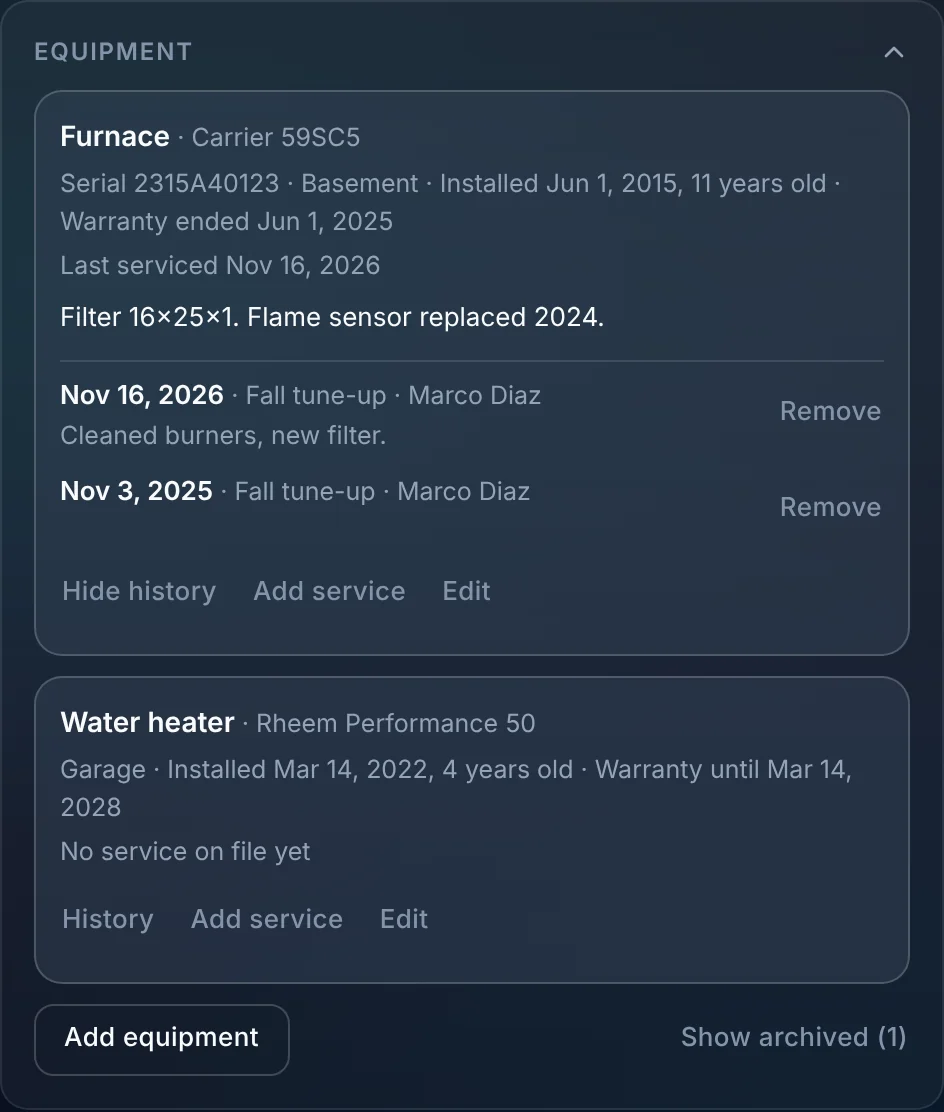
Keep every unit at a customer's home on their record: make, model, serial, where it is, when it went in and when the warranty ends. Mark it serviced on the job and the history builds itself.
- Every unit with model, serial and warranty
- Per customer
- Mark serviced on the job
- One tap
- Turn it on in settings
- Every plan
Watch it work
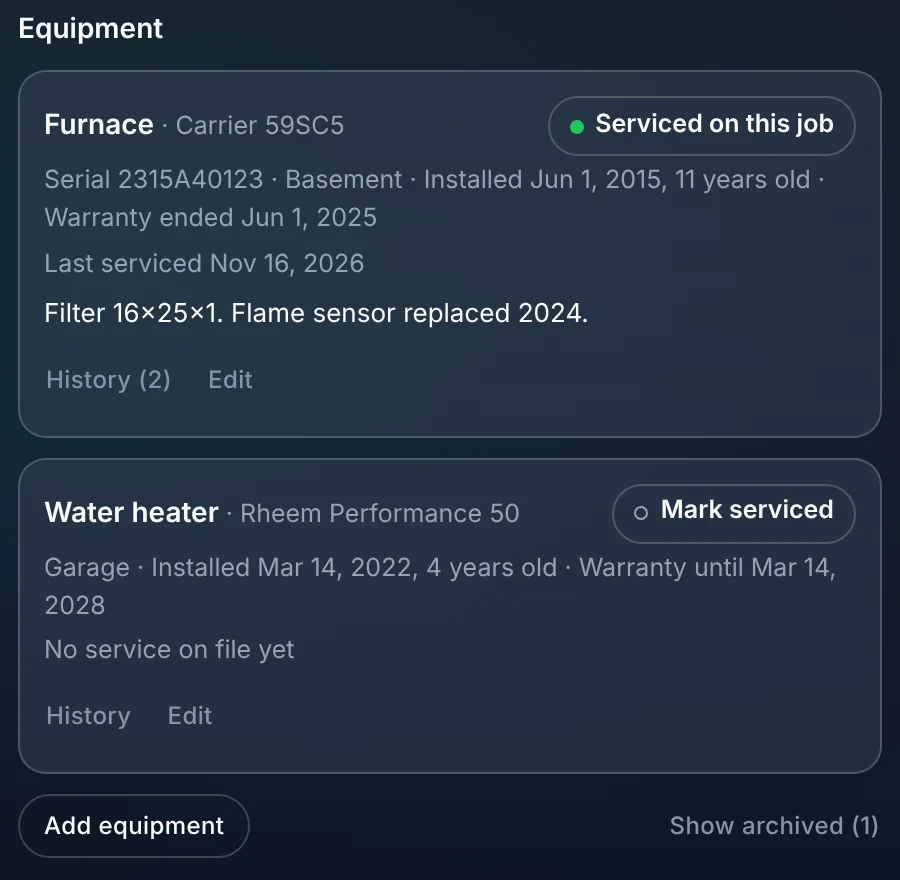
Serviced on this job, and on the record for next time.
The tech marks the furnace serviced on the visit. The date and the work land in the unit's history, and the customer can see it in their portal.
01 · On the customer
Every unit, with the details you'd otherwise lose.
Add equipment from the customer's record. Each unit keeps its own details and notes, like the filter size or a part that was replaced.
- Kind, make, model and serial number.
- Where it is, install date and age.
- Warranty end date, and whether it has ended.
- Notes, and archive a unit that was replaced without losing its history.
02 · On the job
Mark serviced, and the history writes itself.
The job shows the customer's equipment with a Mark serviced button on each unit. One tap records the service on the job's date.
- Mark serviced on the job, once per unit per job.
- Add a past service by date from the customer's record.
- See when each unit was last serviced before you send a tech.
- With the phone apps (coming soon), techs can scan a serial number to add a unit.
03 · In the portal
Customers see what you take care of.
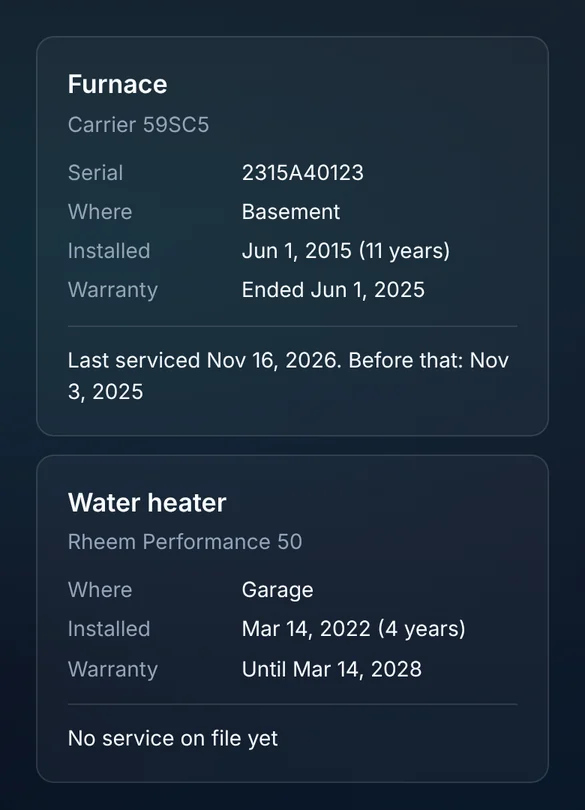
Turn on the portal page and customers see their equipment, its warranty and when it was last serviced. Your team's notes stay private.
- Model, serial, where it is and its age.
- Warranty status and dates.
- Last service and the one before.
- Your notes and service notes never show to the customer.
What you stop paying for.
Equipment lives on the customer, next to their visits and invoices.
- A spreadsheet of serial numbersEvery unit is on the customer's record, with its history.
- Stickers on the unit as the only recordThe last service date is in ALTITUDE before the tech arrives.
Everything equipment tracking does.
Off until you turn it on in Settings, Scheduling. The customer portal page has its own switch.
Units
- Kind, make and model
- Serial number
- Where it is
- Install date and age
- Warranty end
- Notes
- Archive and bring back
Service history
- Mark serviced on a job
- Add a past service
- Last serviced date
- History per unit
Customers
- Portal equipment page
- No team notes shown
- Kept when two customers are merged
Equipment tracking, in plain English.
Still wondering? Ask the people who built it.
Is equipment tracking only for HVAC?
No. Any unit you service works: furnaces and AC units, water heaters, panels, generators, pumps or softeners.
Can my customers see their equipment?
If you turn on the portal page, yes. They see the unit details, warranty and service dates. Your notes stay private.
Does it remind customers when service is due?
Not on its own. Use service plans to bill and track the visits a customer is due for.
What happens when I merge two customers?
Their equipment moves to the customer you keep, with its history.
Your next customer is about to call.
Be the shop that answers. Free for 30 days, and we do the setup.